
Open form follow the instructions

Easily sign the form with your finger

Send filled & signed form or save
How to fill out the Mv 4st online
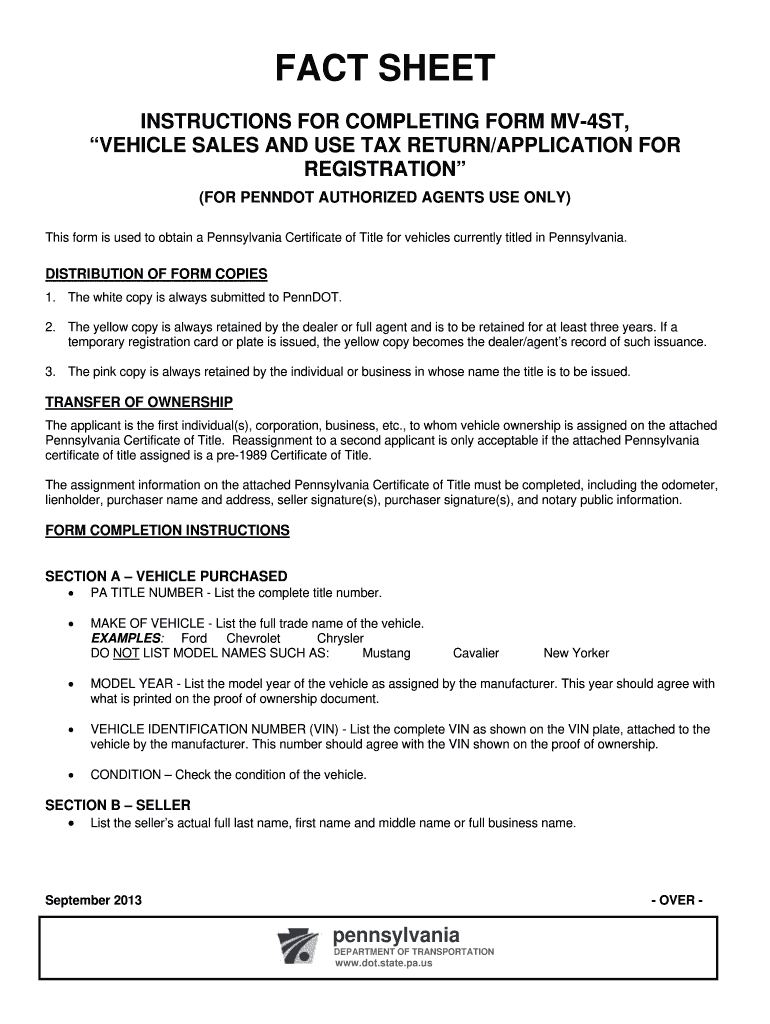
Filling out the Mv 4st is essential for obtaining a Pennsylvania Certificate of Title for your vehicle. This guide will provide you with clear, step-by-step instructions to help ensure you complete the form accurately and efficiently.
Follow the steps to complete the Mv 4st form online.
- Press the ‘Get Form’ button to access the Mv 4st form and open it in your preferred editor.
- In Section A, enter the PA title number, make of vehicle, model year, vehicle identification number (VIN), and check the condition of the vehicle.
- Proceed to Section B to list the seller's full name or business name.
- In Sections C and D, provide the purchaser's full name, PA DL/ID number or Business ID, date of birth, and address details. Include information for a co-purchaser if applicable.
- Complete Section E if applicable, detailing the traded vehicle's make, VIN, model year, and condition.
- In Section F, select the appropriate options for plate information, complete the insurance information, and fill in the issuing agent information.
- Sign and date Section G to certify that all information provided is accurate.
- If applicable, complete Section H for additional title information including joint ownership options.
- In Section I, calculate and list all fees associated with the vehicle purchase, including sales tax, title fees, and any other necessary charges.
- After ensuring all information is complete and accurate, save changes, download your document, and consider printing or sharing it as required. Submit your application to PennDOT using the unique mailing address provided.
Complete the Mv 4st form online today for a smooth vehicle registration process.
Experience a faster way to fill out and sign forms on the web. Access the most extensive library of templates available.
Related content
A temporary registration plate is valid for 90 days. NOTE: Before placing the sticker on...
FORM MV-1, Application for Certificate of Tille (first-time registrations). FORM MV-4ST...
Agents must check the fact sheet each time they complete Forms MV-1, MV-4ST, MV-120 or...
Get answers to your most pressing questions about US Legal Forms API.
What forms do I need to transfer a title in NY?
To transfer a vehicle title in New York, you typically need the MV-82 form along with the title itself. You also may need proof of identification and any required fees. Ensuring accuracy in completing these forms will expedite the transfer process. USLegalForms can provide you with the necessary forms and instructions for a smooth title transfer.
What is the MV 82 form for?
The MV 82 form serves as an application for vehicle registration in New York State. It collects essential data about the vehicle as well as information about the owner. The form is crucial for processing your registration efficiently. For more guidance and access to this form, visit USLegalForms.
Can I renew my registration without an inspection in NY?
In New York, you typically cannot renew your vehicle registration without passing an inspection first. The state requires all vehicles to be inspected to ensure they meet safety standards. However, if you're in an area where inspections are temporarily waived, you may find alternative methods for renewal. USLegalForms can assist you in understanding specific requirements based on your situation.
How to fill out NYS DMV form MV 82?
Filling out the NYS DMV form MV 82 involves providing your personal information, vehicle details, and the reason for registration. Ensure that all sections are accurately completed to avoid delays in processing. You can find helpful tips and resources on USLegalForms to guide you through filling out the MV 82 form effectively.
What form do I need to register a vehicle in NY?
To register a vehicle in New York, you must complete the MV-82 form. This form collects necessary information about the vehicle and the owner. Additionally, you may need supporting documents, such as proof of identity and ownership. If you want a smooth registration process, consider using USLegalForms for easily accessible forms.
How long can you drive a deceased person's car in Pennsylvania?
In Pennsylvania, you can legally drive a deceased person's car for a limited time, typically up to 30 days after the owner's death. This allows you to manage transport needs and finalize logistics. However, it’s important to transfer the title to the new owner as soon as possible. Utilizing resources from USLegalForms can simplify this transition.
How to get transport tags in PA?
To acquire transport tags in Pennsylvania, you must go to your local Department of Transportation office. Bringing along the MV 4st form can expedite your request as it often accompanies vehicle title applications. Additionally, you may need proof of insurance and identification. Always check with the office for specific requirements that may apply to your situation.
What is the MV 4ST used for in PA?
The MV 4ST is used for specific title transfers in Pennsylvania, especially for vehicles that don't require a full registration. It helps both buyers and sellers document the transfer efficiently while adhering to state regulations. By using this form, you ensure that the necessary information is captured correctly, minimizing any potential disputes. Understanding this form is key to a successful transfer.
What is an MV 4st form in PA?
The MV 4st form in Pennsylvania is specifically designed for individuals who wish to transfer vehicle ownership without going through a full registration process. This form simplifies the transfer of title and outlines the necessary steps to ensure compliance with state regulations. Utilizing the MV 4st can save time and reduce paperwork headaches. Make sure to fill it out correctly to facilitate a smooth transition.
Which document would provide proof of ownership in PA?
In Pennsylvania, the title itself serves as the primary document that provides proof of ownership for a vehicle. When transferring ownership, it’s vital to complete the MV 4st form accurately to ensure your title reflects the proper ownership. In addition, retaining a copy of any completed paperwork can help resolve future disputes. Always store these documents in a secure location for future reference.
Use professional pre-built templates to fill in and sign documents online faster. Get access to thousands of forms.
If you believe that this page should be taken down, please follow our DMCA take down process here.