Loading
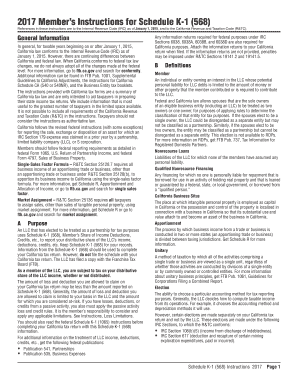
Get Ca Ftb Schedule K-1 (568) Instructions 2017
How it works
-

Open form follow the instructions
-

Easily sign the form with your finger
-

Send filled & signed form or save
How to use or fill out the CA FTB Schedule K-1 (568) Instructions online
Filling out the CA FTB Schedule K-1 (568) can be straightforward with the right guidance. This comprehensive guide will take you through each section of the form step by step, ensuring you provide accurate information for your California tax return.
Follow the steps to effectively complete your CA FTB Schedule K-1 (568)
- Click ‘Get Form’ button to obtain the form and open it in the editor.
- Begin by reviewing the purpose of Schedule K-1 (568) to understand that this document reports your distributive share of the LLC’s income, deductions, and credits. Familiarize yourself with the information required in each section, noting where your input is needed.
- In the information provided in columns (c) and (d), fill in your California adjustments and the total amounts as necessary. Pay special attention to how LLC income is reported for California tax purposes.
- Next, determine if the income is categorized as business or nonbusiness income. Business income must be reported in column (e) while nonbusiness income should be allocated according to instructions stated in the form.
- Complete the table sections if applicable. Table 1 is for nonbusiness income and Table 2 for distributive items; ensure that you follow the guidance provided for calculating figures in these tables.
- If you encounter any entries regarding losses or deductions, apply the basis, at-risk, and passive activity limitations as described in the instructions. This ensures compliance with tax laws.
- Once all fields are filled, review the entire document for accuracy and completeness. Ensure all calculations are correct and all necessary fields are completed.
- After verifying your entries, save your changes. You can then download, print, or share your completed Schedule K-1 (568) as needed.
Complete your CA FTB Schedule K-1 (568) online today to ensure accurate tax reporting!
Get form
Experience a faster way to fill out and sign forms on the web. Access the most extensive library of templates available.
Related links form
The Schedule K-1 (568) is crucial for partnerships and LLCs, detailing each partner's or member's share of income, deductions, and credits. It is essential to accurately report this information on your tax return. For guidance, consult the CA FTB Schedule K-1 (568) Instructions to ensure proper compliance.
Get This Form Now!
Use professional pre-built templates to fill in and sign documents online faster. Get access to thousands of forms.