Loading
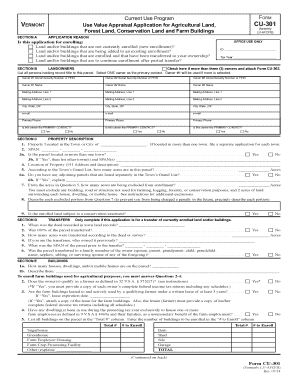
Get Vt Dot Cu-301 2014
How it works
-

Open form follow the instructions
-

Easily sign the form with your finger
-

Send filled & signed form or save
How to fill out the VT DoT CU-301 online
Filling out the VT DoT CU-301 form online for the Current Use Program can be a straightforward process. This guide provides clear instructions on each section of the form to ensure your application is complete and accurate.
Follow the steps to successfully complete your application.
- Click the ‘Get Form’ button to obtain the form and open it in the editor.
- In Section A, select the reason for your application. Ensure that your choice is aligned with your intention to enroll land and/or buildings.
- In Section B, provide the information for all landowners involved. Designate one as the primary contact. This ensures clear communication regarding your application.
- Move to Section C to describe the property. Enter the town or city where the property is located, its SPAN, and provide a detailed description including acreage from the town's grand list.
- If applicable, complete Section D for Transfers. Indicate when the deed was recorded and whether the entire parcel was transferred.
- In Section E, list all buildings on the property. Specify which farm buildings are enrolled and ensure you meet the necessary qualifications to categorize as a farmer.
- Complete Section F for Agricultural Land. Enter the total acres in active agricultural use and provide any necessary documentation supporting your eligibility.
- Fill out Section G if you are enrolling forest land. Submit a forest management plan and follow the mapping standards for accurate enrollment.
- If applicable, address Section H for Conservation Land by confirming your organization's qualifications and the necessary approvals.
- In Section J, ensure all owners sign the application. Complete any additional paperwork required for power of attorney if applicable.
- Once all sections are completed, save changes, download, or share the form as necessary.
Complete your VT DoT CU-301 application online today to ensure timely processing and enrollment in the Current Use Program.
Get form
Experience a faster way to fill out and sign forms on the web. Access the most extensive library of templates available.
Related links form
The non-resident tax form for Vermont is the VT form 113, which allows non-residents to report income sourced from Vermont. Filing this form ensures compliance with Vermont tax regulations while potentially claiming tax credits. To assist you with this process, tools like VT DoT CU-301 are available on uslegalforms.
Get This Form Now!
Use professional pre-built templates to fill in and sign documents online faster. Get access to thousands of forms.