Loading
Get Ca Dmv Reg 195 2021-2026
How it works
-

Open form follow the instructions
-

Easily sign the form with your finger
-

Send filled & signed form or save
How to fill out the CA DMV REG 195 online
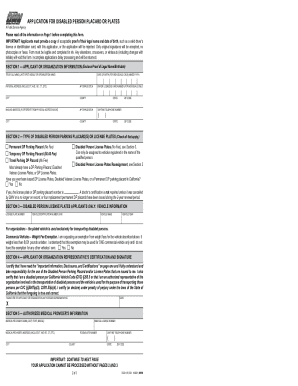
Filling out the CA DMV REG 195 form can seem daunting, but this guide will simplify the process for you. This form is essential for applying for a disabled person parking placard or license plates in California, and understanding each section is crucial for successful completion.
Follow the steps to fill out the form accurately and efficiently.
- Click ‘Get Form’ button to obtain the form and open it in the editor.
- In Section 1, provide your true full name, date of birth, physical address, and daytime telephone number. Ensure that all details are legible and accurate.
- In Section 2, check the box for the type of disabled person parking placard or license plates you are applying for. This could include a temporary or permanent DP parking placard or disabled person license plates.
- If you selected 'Disabled Person License Plates' in Section 2, fill out Section 3 with your vehicle information, including the license plate number, vehicle identification number (VIN), make, and year.
- In Sections 5 and 6, ensure that a medical provider certifies your application. This requires their signature and details about your disability, compliant with state law.
- Once completed, review all sections to ensure legibility and accuracy, as incomplete applications will be returned for corrections.
- After verification, save your changes, download the completed form, and print it if necessary. You may also want to share it via email or in person.
Complete your application process online today by following these steps!