Loading
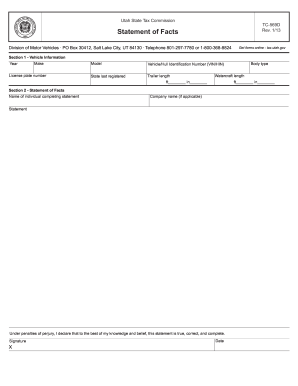
Get Ut Ustc Tc-569d 2013
How it works
-

Open form follow the instructions
-

Easily sign the form with your finger
-

Send filled & signed form or save
How to fill out the UT USTC TC-569D online
The UT USTC TC-569D form is essential for various administrative processes. This guide will walk you through each section of the form, providing clear and reliable instructions for completing it online.
Follow the steps to successfully complete the UT USTC TC-569D form.
- Click 'Get Form' button to obtain the form and open it in the editor.
- Once the form is open, begin by entering your personal information in the designated fields. Ensure that your name, address, and contact details are accurate and up to date.
- In the next section, provide any necessary identification numbers or reference codes as indicated. Double-check these details to avoid any errors that could delay processing.
- Proceed by filling out additional sections as required. Pay close attention to any specific instructions for each field to guarantee that all information is complete.
- After filling in all sections, review the form thoroughly for completeness and accuracy. Make any necessary edits before finalizing your submission.
- Once satisfied with the entries, look for options to save changes, download, print, or share the completed form according to your needs.
Complete your UT USTC TC-569D form online for a seamless experience.
Get form
Experience a faster way to fill out and sign forms on the web. Access the most extensive library of templates available.
Receiving a letter from the Utah State Tax Commission may indicate they need clarification on your tax status or prior filings. It's essential to respond promptly to any inquiries or requests for documents. Often, this communication relates to filings like the UT USTC TC-569D, so reviewing your records can help ensure everything is accurate.
Get This Form Now!
Use professional pre-built templates to fill in and sign documents online faster. Get access to thousands of forms.