Loading
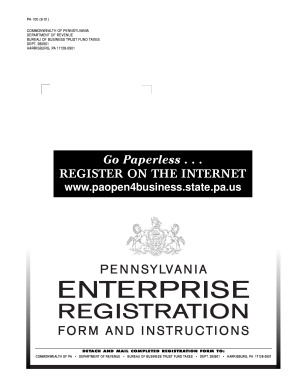
Get Pa Pa-100 2001
How it works
-

Open form follow the instructions
-

Easily sign the form with your finger
-

Send filled & signed form or save
How to fill out the PA PA-100 online
This guide provides a comprehensive overview of how to accurately complete the Pennsylvania Enterprise Registration Form (PA PA-100) online. Designed for both new and previously registered enterprises, this guide will walk you through each section and provide essential tips for a successful submission.
Follow the steps to accurately complete your PA PA-100 registration.
- Click ‘Get Form’ button to obtain the form and open it in your preferred editing tool.
- Begin by completing Section 1: Reason for this Registration. Indicate your registration type – whether it is a new registration, adding a tax/service, information update, or similar.
- Fill out Section 2: Enterprise Information. Provide details such as the enterprise's legal name, Federal Employer Identification Number (EIN), and physical and mailing addresses. Ensure all information is accurate, as this section establishes your enterprise's identity.
- Proceed to Section 3: Taxes and Services. Check all applicable boxes to indicate which taxes and services you wish to register for. This will direct your registration to the correct tax services.
- Complete Section 4: Authorized Signature. This section requires the signature of an authorized person, their title, and contact information. Make sure to include this, as it is essential for finalizing your registration.
- In Section 5: Business Structure, select the type of business structure your enterprise represents. Depending on your selection, additional sections may need to be completed.
- Fill out Section 6: Owners, Partners, Shareholders, Officers, and Responsible Party Information. Be thorough in including all relevant parties and their details.
- Complete Sections 7-10 as required, focusing on establishment business activities and sales information. Be sure to answer the questions accurately based on your enterprise's operations.
- Upload any necessary additional documentation and finalize your responses in subsequent sections, ensuring all data is accurate and complete.
- Once all sections are filled out and double-checked, save your changes. You can choose to download, print, or share the completed form as necessary.
Take the next step and complete your PA PA-100 form online today for a streamlined registration experience.
Get form
Experience a faster way to fill out and sign forms on the web. Access the most extensive library of templates available.
Related links form
The PA inheritance tax form is the PA PA-100, which must be completed to report inheritance tax liabilities. This form is designed to provide the Pennsylvania Department of Revenue with information about the deceased's estate and the beneficiaries. By using the PA PA-100, taxpayers can navigate inheritance tax regulations efficiently.
Get This Form Now!
Use professional pre-built templates to fill in and sign documents online faster. Get access to thousands of forms.