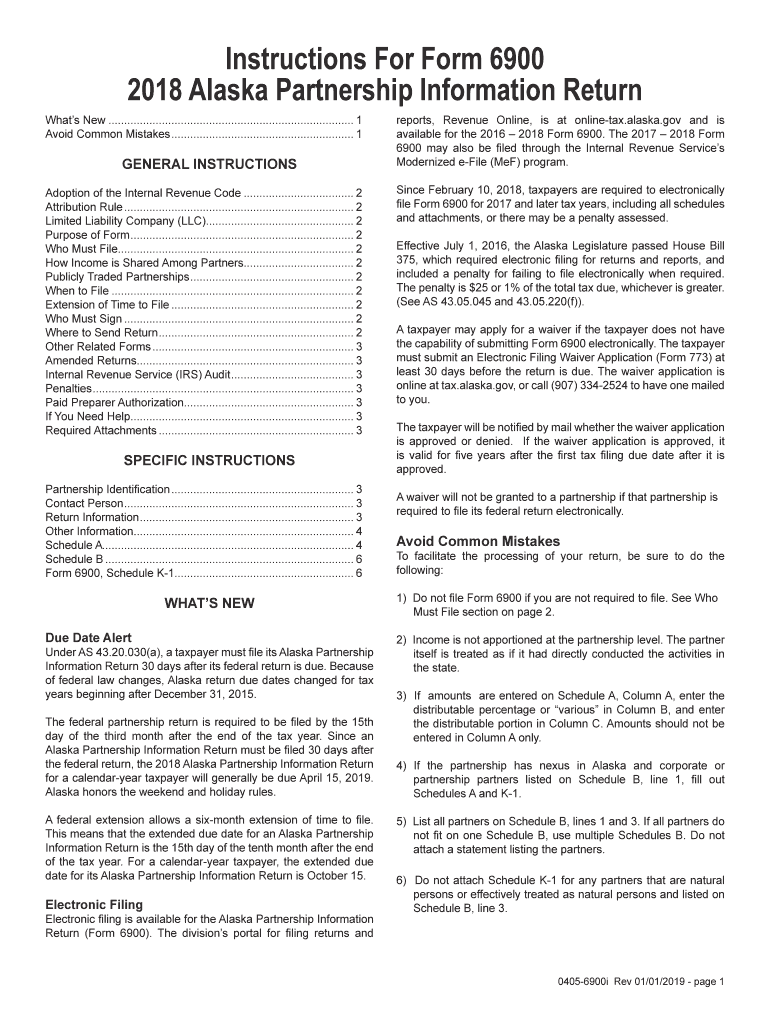
Instructions For Form 6900 2018 Alaska Partnership Information Return What s New............................................................................... 1 Avoid Common Mistakes.
Loading

Open form follow the instructions

Easily sign the form with your finger

Send filled & signed form or save
How to fill out the AK 0405-6900i online
Filling out the AK 0405-6900i, the Alaska Partnership Information Return, is crucial for partnerships conducting business in Alaska. This guide provides step-by-step instructions to help users complete the form accurately and efficiently.
Follow the steps to complete the AK 0405-6900i form online.
- Click ‘Get Form’ button to obtain the form and access it in the online editor.
- Provide the required partnership identification details, including the legal name and the federal Employer Identification Number (EIN) of the partnership.
- Identify a contact person by including their name, email address, and telephone number. Ensure this individual is authorized to receive confidential tax information.
- Check all relevant boxes under Return Information, including whether this is the final, amended, or federal extension return. Include any necessary attachments.
- Complete the Other Information section by indicating any partnership obligations and ownership interests in foreign partnerships as needed.
- Fill out Schedule A to report relevant income modifications and apportionment data. Ensure to attribute these items correctly to the partners.
- Complete Schedule B by listing all partners, indicating their ownership percentage, and specifying if any special allocations apply.
- Prepare Form 6900, Schedule K-1 for each partner that is not a natural person. Report the distributive share of amounts from Schedule A.
- Review the entire form for accuracy. After ensuring all information is complete, you can save changes, download, print, or share the form.
Take the necessary steps to complete your documents online today.
Experience a faster way to fill out and sign forms on the web. Access the most extensive library of templates available.
Related content
Founded in 1942, Fairfield University is a Jesuit and Catholic University that is rooted...
Aug 26, 2011 — Alaska State Fair. Alaska State Fair Station. Postmaster. 500 S. Cobb St...
Get answers to your most pressing questions about US Legal Forms API.
Do I claim 0 or 1 on my W4?
Whether you claim 0 or 1 on your W4 depends on your personal tax situation. Claiming 0 means more tax will be withheld, potentially leading to a refund, while claiming 1 might result in less withholding. To determine your best option, consult the AK 0405-6900i for insights tailored to your financial circumstances.
How to fill out a W-4V form?
Filling out a W-4V form requires you to provide your name, address, and Social Security number. You will also need to indicate the percentage of your payment that you want withheld for federal income tax. To ensure accuracy, refer to the AK 0405-6900i for step-by-step guidance.
How do I fill out a Schedule K form?
To fill out a Schedule K form, gather your financial information related to partnerships, S corporations, or estates. Enter all required income, deductions, and credits accurately. For clear examples and assistance, the AK 0405-6900i can provide you with reliable resources to streamline this process.
Can you fill out a W-4V form online?
Yes, you can fill out a W-4V form online through various tax services that provide electronic forms. Ensure that you have the necessary information ready, including your personal details and the percentage of withholding you wish to claim. The AK 0405-6900i can guide you on reliable platforms to complete this form online.
How to fill out a W-8BEN form?
Filling out a W-8BEN form involves providing information about your foreign status. You must include your name, country of citizenship, and the reason for submitting the form. Look into the AK 0405-6900i for valuable insights about compliance and accuracy when completing this form.
How to fill out a W-4 withholding certificate?
To complete a W-4 withholding certificate, you need to enter your details in the required fields, including personal and filing status information. Make sure to calculate your allowances based on your situation. For precise instructions that align with your tax situation, consult the AK 0405-6900i.
How to fill out a W-4 withholding form?
Filling out a W-4 withholding form is straightforward. Start by providing your personal information such as your name, address, and Social Security number. Then, specify your filing status and claim your allowances. For additional withholding or adjustments, refer to the AK 0405-6900i for guidelines.
Can I e-file an amended return?
Yes, you can e-file an amended return, provided your original return was also filed electronically. Use Form 1040X and follow the provided instructions carefully. The AK 0405-6900i outlines what you need to include and how to navigate the e-filing process for your amendments smoothly.
How do I report Schedule K-1 income?
Reporting Schedule K-1 income involves transferring the amounts from the K-1 to your personal tax return. Use the data from your K-1 to complete the relevant sections on your Form 1040. Make sure to refer to AK 0405-6900i for detailed instructions on accurately reporting different types of income from your K-1.
Can you file K-1 online?
Yes, you can file K-1 forms online through various tax software platforms. Many of these platforms support the AK 0405-6900i, making it easier to ensure accuracy and compliance. If you prefer assistance, consider using USLegalForms to streamline the filing process online.
Use professional pre-built templates to fill in and sign documents online faster. Get access to thousands of forms.
If you believe that this page should be taken down, please follow our DMCA take down process here.
This form is available in several versions. Select the version you need from the drop-down list below.