Loading
Get Nc Dor D-400 2019-2026
How it works
-

Open form follow the instructions
-

Easily sign the form with your finger
-

Send filled & signed form or save
How to fill out the NC DoR D-400 online
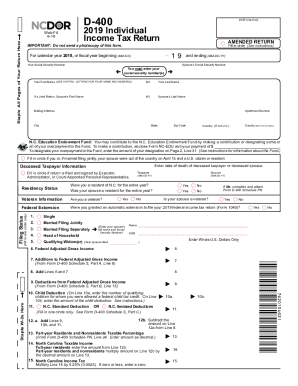
The NC DoR D-400 is an essential form for individuals filing their income tax return in North Carolina. This guide provides user-friendly, step-by-step instructions for completing the form online, ensuring a smooth and efficient filing process.
Follow the steps to easily complete your tax return online.
- Click ‘Get Form’ button to obtain the NC DoR D-400 and open it in your preferred editor.
- Begin by entering the tax year in the designated field. For the NC DoR D-400, this should be the year you are filing for, in this case, 2019.
- Fill in your first name, middle initial, and last name using capital letters. If you are filing jointly, also enter your spouse's first name, middle initial, and last name.
- Indicate if you or your spouse were out of the country on April 15 by filling in the appropriate circle.
- Select your filing status by filling in one circle: single, married filing jointly, married filing separately, head of household, or qualifying widow(er).
- Further enter any tax credits you may have from supporting schedules as required by the form.
- Finally, review your entries for accuracy, sign the form electronically, and fill in the date.
Complete your NC DoR D-400 online today for a hassle-free tax filing experience.
Filling out N.C. D-400 involves providing personal identification details, income information, and deductions applicable to your situation. Take your time to carefully review each line and ensure accuracy. For a step-by-step guide, our platform offers resources that break down the process, making it easier to complete your tax return correctly.