Get Ok Otc 512e 2018
How it works
-

Open form follow the instructions
-

Easily sign the form with your finger
-

Send filled & signed form or save
How to use or fill out the OK OTC 512E online
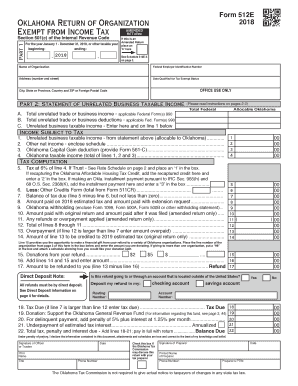
Filling out the OK OTC 512E form, which is the Return of Organization Exempt from Income Tax, is essential for organizations seeking tax exemption. This guide will walk you through each component online, ensuring clarity and ease of completion.
Follow the steps to complete the OK OTC 512E online.
- Press the ‘Get Form’ button to obtain the form and open it in your preferred online editor.
- Enter the name of your organization in the specified field, followed by your Federal Employer Identification Number. Ensure that the information is correct to avoid processing delays.
- Fill in the address of your organization, including the number and street, city, state or province, country, and ZIP code. Accuracy is critical for correspondence with tax authorities.
- Indicate the date your organization qualified for tax-exempt status. This is important for establishing your organization's filing requirements.
- Section A requires you to report total unrelated trade or business income. Input the relevant amounts that align with applicable federal forms, such as Form 990.
- In Section B, provide the total unrelated trade or business deductions following the same guidelines as Section A, ensuring that the figures are accurate and supported by necessary documentation.
- Calculate the unrelated business taxable income and enter it in the designated field. This will be used for further tax calculations.
- Complete any summary lines necessary for determining the balance of tax due, including adjustments for credits and prior payments. Make sure to double-check calculations.
- If applicable, fill out the donations from your refund section. You can choose beneficiaries based on the guidelines provided in the form.
- Review the direct deposit information if you expect a refund. Enter the routing and account numbers as required, noting that the deposit must be made to a U.S. financial institution.
- Once all fields are complete, save your changes. You may also choose to download, print, or share the completed form as needed.
Start completing your OK OTC 512E form online today to ensure your organization maintains its compliance and tax-exempt status.
Get form
To track your Oklahoma refund, you can visit the Oklahoma Tax Commission's refund inquiry page. By entering your details, including your Social Security number and the expected refund amount, you can quickly obtain the status. If you have filed the OK OTC 512E, ensure everything is accurate in your submission history. USLegalForms can help clarify any confusion regarding your refund process.