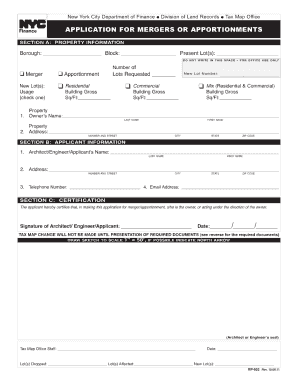
Get Ny Rp-602 2011
How it works
-

Open form follow the instructions
-

Easily sign the form with your finger
-

Send filled & signed form or save
How to fill out the NY RP-602 online
Completing the NY RP-602 form online can be a straightforward process when you understand each section and its requirements. This guide provides step-by-step instructions to assist you in accurately filling out the form, ensuring that all necessary information is submitted.
Follow the steps to successfully complete the NY RP-602 online.
- Click ‘Get Form’ button to access the NY RP-602 and open it in your chosen editor.
- Begin with filling out the personal information section. Provide your name, address, and contact information clearly, ensuring all details are accurate and up to date.
- Next, move to the property details section. Describe the property involved by including the address and any specific identifiers that distinguish it.
- In the ownership section, indicate your relationship to the property. Clearly state whether you are the owner, co-owner, or another party involved.
- Complete the agreement section with any relevant details regarding agreements or conditions that apply to the property. Be specific to avoid ambiguity.
- After finishing all sections, review your entries carefully for accuracy and completeness, ensuring you have not missed any required fields.
- Finally, save your changes, then choose to download, print, or share the completed NY RP-602 form as needed.
Start filling out documents online today for smooth and efficient submission.
Get form
Related links form
Filling out a NY resale certificate involves providing your business details, including your seller's permit number and the nature of the goods being purchased for resale. Utilize the NY RP-602 form to simplify this process by ensuring that all necessary fields are completed. Don't forget to keep a copy for your records and submit it to your suppliers. This helps you manage your sales tax obligations effectively.