Loading
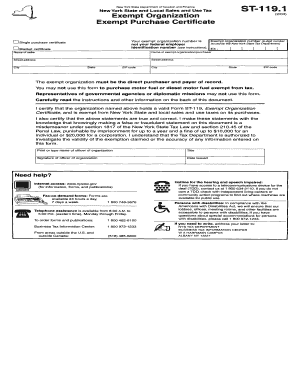
Get Ny Dtf St-119.1 2004
How it works
-

Open form follow the instructions
-

Easily sign the form with your finger
-

Send filled & signed form or save
How to fill out the NY DTF ST-119.1 online
Filling out the NY DTF ST-119.1 form online can streamline the process of reporting sales tax exemptions. This guide will walk you through each section and field of the form, ensuring a smooth completion experience.
Follow the steps to accurately complete the form online.
- Press the ‘Get Form’ button to access the form and open it in the editor.
- Begin by entering your name, contact information, and the business information as required. Ensure all details are accurate to avoid processing delays.
- Complete the section for the type of exemption you are claiming. This is critical for determining your eligibility, so refer to any supporting documentation you may have.
- Fill in any additional fields that pertain to your specific situation, including identification numbers or any applicable dates.
- Review all entries for accuracy and completeness. Take the time to ensure that spelling and numbers are correct, as errors can lead to complications.
- Once satisfied with your entries, you can save your changes, download a copy for your records, print the form, or share it as needed.
Complete your documents online today for a hassle-free filing experience.
Get form
Experience a faster way to fill out and sign forms on the web. Access the most extensive library of templates available.
To fill out the ST-120 form PDF, first download the form from the New York State Department of Taxation and Finance website. Follow the instructions carefully, and include relevant details about your sales tax exemption, such as your organization's legal name and tax identification number. Once completed, you can print, sign, and submit it as needed.
Get This Form Now!
Use professional pre-built templates to fill in and sign documents online faster. Get access to thousands of forms.