Loading
Get Nj Dot Cbt-2553-r 2008-2026
How it works
-

Open form follow the instructions
-

Easily sign the form with your finger
-

Send filled & signed form or save
How to fill out the NJ DoT CBT-2553-R online
Completing the NJ DoT CBT-2553-R form online is essential for corporations seeking retroactive New Jersey S Corporation status. This guide will provide clear, step-by-step instructions to facilitate your completion of the form accurately and efficiently.
Follow the steps to successfully complete your NJ DoT CBT-2553-R form.
- Press the ‘Get Form’ button to access the CBT-2553-R form and open it for editing.
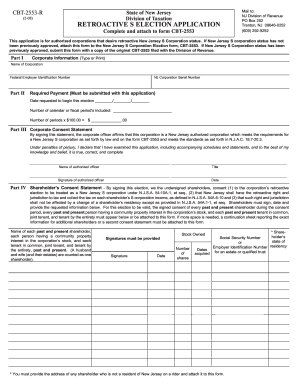
- In Part I, provide your corporation's legal name as it is registered. Ensure that it matches the name on the NJ-REG and CBT-2553 forms.
- In Part II, input your NJ Corporation Serial Number. Indicate the date you wish your retroactive election to start. Count the number of calendar or fiscal periods you wish to include.
- In Part III, read the Corporate Consent Statement. Type or print the name and title of the authorized corporate officer who will sign the application.
- In Part IV, gather the signatures of all current and past shareholders who consent to the corporation’s retroactive election.
- If any shareholder is not a New Jersey resident, prepare a rider with their address and attach it to the form.
Complete your NJ DoT CBT-2553-R form online now to ensure a smooth filing process.
Related links form
A corporation or LLC must file an S-Corp election within two months and 15 days (~75 days total) of the date of formation for the election to take effect in the first tax year.