Loading
Get Nc Dor D-400v 2008-2026
How it works
-

Open form follow the instructions
-

Easily sign the form with your finger
-

Send filled & signed form or save
How to fill out the NC DoR D-400V online
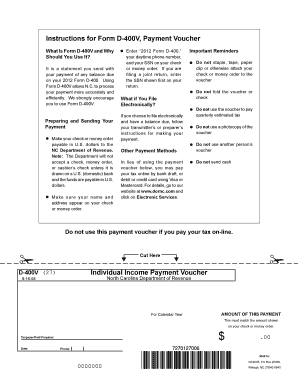
Form D-400V is a payment voucher used to submit any outstanding balance due on your 2012 Form D-400. Completing this form accurately ensures that the North Carolina Department of Revenue processes your payment efficiently.
Follow the steps to fill out the form correctly.
- Click ‘Get Form’ button to obtain the form and open it in the editor.
- Enter the amount of your payment in the designated field. This amount should match your check or money order.
- Fill in your name and address in the appropriate sections on the form. Ensure that this information reflects what is on your check or money order.
- Provide your daytime phone number and Social Security Number (SSN). If filing a joint return, enter the SSN of the primary filer.
- Review all the entered information for accuracy before proceeding.
- Once completed, save your changes. You have the option to download, print, or share the form as necessary.
Complete your payment voucher online for a seamless submission!
To mail the NC D-400V form, you will send it to the address specified on the form itself or the North Carolina Department of Revenue's website. It is important to ensure you use the correct mailing address based on whether you're filing electronically or sending a paper form. Ensuring accuracy with where you mail your NC DoR D-400V helps streamline your tax payment process.