Loading
Get Mt Cit (clt-4) 2023-2026
How it works
-

Open form follow the instructions
-

Easily sign the form with your finger
-

Send filled & signed form or save
How to fill out the MT CIT (CLT-4) online
Filling out the MT CIT (CLT-4) form is an essential step for businesses operating in Montana to report their corporate income tax. In this guide, you will find detailed instructions to help you accurately complete this form online, ensuring compliance and efficiency.
Follow the steps to fill out the MT CIT (CLT-4) form online.
- Click ‘Get Form’ button to obtain the MT CIT (CLT-4) and open it in the editor.
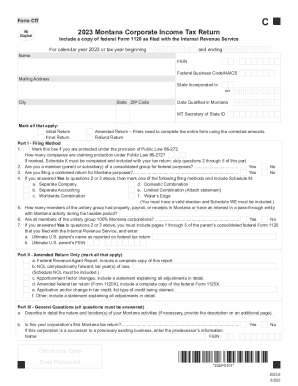
- Enter your full legal business name as listed on your federal IRS documents.
- Input your Federal Employer Identification Number (FEIN) in the designated field.
- Fill in your mailing address, ensuring accuracy in street, city, state, and ZIP code.
- Indicate the state where your business is incorporated.
- Provide the date your business qualified to operate in Montana, using the format MM/DD/YYYY.
- Select the applicable types of returns you are filing by marking Initial, Amended, or Final Return.
- Complete Part I regarding your filing method, answering questions about Public Law 86-272 and consolidate group membership.
- If applicable, complete Part II, providing details necessary for an amended return.
- Answer all questions in Part III regarding activities and ownership structure.
- Proceed to calculations for Montana taxable income in Part IV, carefully inputting all income and deduction values.
- Finalize the form by reviewing all entries for accuracy before saving, downloading, or printing your completed MT CIT (CLT-4).
Complete your MT CIT (CLT-4) form online today to ensure timely and accurate submission.