Loading
Get Ny Cr-q1 2022-2026
How it works
-

Open form follow the instructions
-

Easily sign the form with your finger
-

Send filled & signed form or save
How to fill out the NY CR-Q1 online
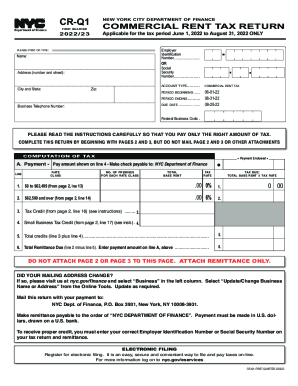
Filling out the NY CR-Q1 for the first quarter is essential for reporting your commercial rent tax. This guide will walk you through the necessary steps to complete the form accurately and efficiently online.
Follow the steps to successfully complete your NY CR-Q1 online.
- Press the ‘Get Form’ button to access the CR-Q1 and open it in your online platform.
- Begin by entering your name in the designated field, as requested.
- Next, provide your complete address, including street number, city, state, and zip code.
- Fill in your business telephone number in the appropriate section.
- Select your account type and enter your Employer Identification Number (EIN) or Social Security Number (SSN) as per the instructions.
- Indicate the commercial rent tax period, specifically noting the period from June 1, 2022, to August 31, 2022.
- In this section, carefully follow the instructions regarding the computation of tax and ensure each field related to the base rent is completed accurately.
- Make sure to calculate the tax due by applying the appropriate tax rates to the total base rent as indicated.
- If applicable, complete the deductions section, including all relevant information from subtenants and any other deductions available.
- Review the total remittance due and ensure that you enter the payment amount correctly.
- At this point, save your changes, download the completed form, and prepare to print it if necessary.
- Finally, you can share the completed form if required or keep it for your records.
Ready to file your tax returns? Complete your NY CR-Q1 online today!