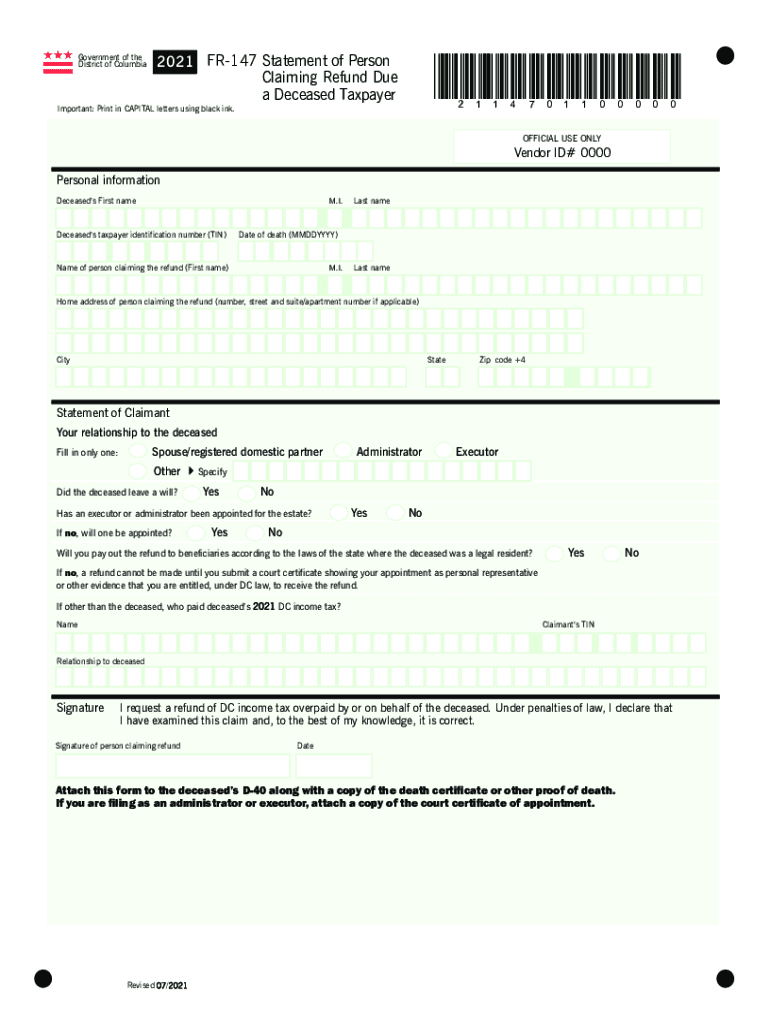
Government of the District of Columbia statement of Person 2021 FR147 S Claiming Refund Due a Deceased Taxpayer 2114701100000Important: Print in CAPITAL letters using black ink.official USE ONLYVendor.
Loading

Open form follow the instructions

Easily sign the form with your finger

Send filled & signed form or save
How to fill out the DC FR-147 online
The DC FR-147 form is used to claim a refund due to a deceased taxpayer in the District of Columbia. This guide provides clear and supportive instructions on how to complete this form accurately online, ensuring all necessary information is included.
Follow the steps to successfully complete the DC FR-147 online.
- Press the ‘Get Form’ button to access the DC FR-147 and have it displayed in your online editor.
- In the 'Personal Information' section, enter the deceased's first name, middle initial, last name, and taxpayer identification number (TIN). Include the date of death in the specified format (MMDDYYYY).
- Fill in the name of the person claiming the refund, including their first name, middle initial, and last name, followed by their home address. Ensure you complete the city, state, and zip code +4 fields accurately.
- Under 'Statement of Claimant', indicate your relationship to the deceased by checking the appropriate box: spouse/registered domestic partner, administrator, executor, or other. If you select 'other', specify your relationship.
- Answer the question regarding whether the deceased had a will. Additionally, indicate if an executor or administrator has been appointed for the estate. Provide answers to the follow-up questions regarding the payment of refunds to beneficiaries.
- Fill in your taxpayer identification number (TIN) and indicate your relationship to the deceased once more.
- Sign the form affirming that you request a refund of the overpaid income tax by or for the deceased and acknowledge the penalties of law in case of incorrect information. Date your signature accordingly.
- Prepare to attach any necessary documents, such as a death certificate or proof of death, along with the DC D-40 form. If filing as an administrator or executor, include a court certificate of appointment.
- Once you have completed all sections, you can save changes, download, print, or share the form as needed.
Complete your DC FR-147 form online today to ensure a smooth refund process.
Experience a faster way to fill out and sign forms on the web. Access the most extensive library of templates available.
Related content
Dec 18, 2017 - 2017 FR-147 (Fill-in) ... MyTax.DC.gov. Image of MyTax.DC.gov. MyTax.DC.gov...
Read chapter Additional Resources: TRB's Transit Cooperative Research Program (TCRP)...
(147 cfm). 3. 85 (3.3). 36 (DC) – 72 (DC). 9769.0021). 88. 320 m3/h. (188 cfm). 2. 85...
Use professional pre-built templates to fill in and sign documents online faster. Get access to thousands of forms.
If you believe that this page should be taken down, please follow our DMCA take down process here.
This form is available in several versions. Select the version you need from the drop-down list below.