Loading
Get Sc Schedule Nr 2020
How it works
-

Open form follow the instructions
-

Easily sign the form with your finger
-

Send filled & signed form or save
How to fill out the SC Schedule NR online
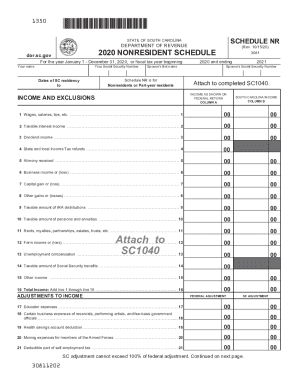
The SC Schedule NR is an important document for nonresidents or part-year residents of South Carolina. This guide provides clear, step-by-step instructions to help you complete this form accurately and efficiently when filling it out online.
Follow the steps to complete the SC Schedule NR online.
- Press the ‘Get Form’ button to access the SC Schedule NR form and open it in your preferred editor.
- Begin by entering your personal information, including your name and Social Security number. Ensure accuracy to avoid processing delays.
- Indicate the dates of your South Carolina residency. This will typically encompass the start and end dates of your residency for the tax year.
- Fill out your spouse's first name and Social Security number if applicable. This section is for those who are filing jointly.
- In Column A, report your income as stated on your federal return, line by line, including wages, taxable interest, and other specified income categories.
- In Column B, report your South Carolina income for each corresponding line from Column A. This includes adjustments and specific South Carolina exclusions.
- Calculate your total income by summing up line 1 through line 15 and entering that total on line 16.
- Proceed to report adjustments to income. This includes educator expenses and certain business expenses, noting any applicable federal adjustments next to them.
- Calculate the total adjustments on line 30 by adding lines 17 through 29, and enter the adjusted gross income on line 31.
- Complete the South Carolina adjustments, detailing additions and subtractions as required, and input these values into the appropriate lines.
- Calculate total South Carolina subtractions on line 42 and the total South Carolina adjustments on line 43.
- Determine your SC modified adjusted gross income and complete the prorated deductions adjustment as needed.
- Finalize your South Carolina taxable income on line 48, ensuring that if it's negative, you report zero on your SC1040.
- Once you've completed all fields, make sure to save your changes. You can then download, print, or share the completed SC Schedule NR as necessary.
Complete your documents online with confidence and accuracy!
Get form
Experience a faster way to fill out and sign forms on the web. Access the most extensive library of templates available.
Veteran Property Taxes Veterans with a 100 percent service-connected disability are eligible for a total exemption of property tax on their homes as well as a homestead tax deduction of up to $50,000.
Get This Form Now!
Use professional pre-built templates to fill in and sign documents online faster. Get access to thousands of forms.