Loading
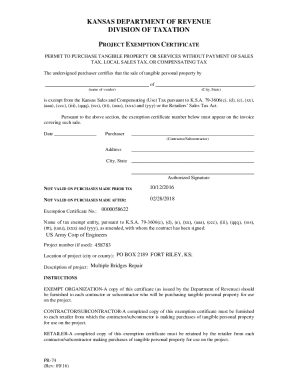
Get Ks Pr-74 2016-2026
How it works
-

Open form follow the instructions
-

Easily sign the form with your finger
-

Send filled & signed form or save
How to fill out the KS PR-74 online
The KS PR-74 is a project exemption certificate that allows certain purchasers to buy tangible personal property and services without paying sales tax. This guide provides you with clear, step-by-step instructions to complete the form accurately and efficiently online.
Follow the steps to fill out the KS PR-74 online effectively.
- Click ‘Get Form’ button to obtain the form and open it in the editor.
- Begin filling in the date by indicating when the exemption certificate is being issued.
- Enter your name as the purchaser, specifying whether you are a contractor or subcontractor.
- Provide your address, including city and state, to establish your location.
- Indicate the name of the vendor you will be purchasing from and their city, state.
- Fill out the exemption certificate number, ensuring that it matches the number assigned to your specific project.
- Provide the completion date for the project, making sure it falls within the valid purchase period.
- Sign the form with your authorized signature to validate the exemption.
- Once completed, save your changes, and you can download, print, or share the form as needed.
Complete your KS PR-74 online now to ensure your project meets tax exemption requirements.
If you were a Kansas resident for the entire year, you must file a Kansas Individual Income Tax return if: ... A married couple filing jointly would not be required to file a Kansas return unless their gross income is over $10,500.