Loading
Get Ks Dor Ks-1520 2015-2026
How it works
-

Open form follow the instructions
-

Easily sign the form with your finger
-

Send filled & signed form or save
How to fill out the KS DoR KS-1520 online
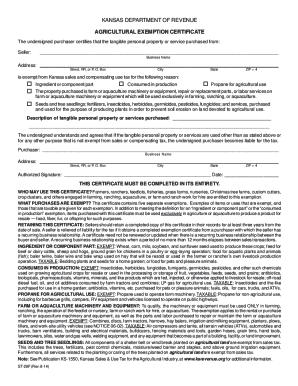
The KS DoR KS-1520 form is essential for businesses in Kansas to properly utilize exemption certificates for sales and use tax purposes. This guide provides a comprehensive, step-by-step approach to assist users in completing the form online with ease.
Follow the steps to fill out the KS DoR KS-1520 online
- Click the ‘Get Form’ button to access the KS DoR KS-1520 form and open it in your selected editor.
- Once the form is open, review the instructions provided in the document to understand the requirements needed for your exemption.
- Complete the identification information section by accurately filling out your name, business name, address, and contact details.
- Specify the reason for claiming the exemption by selecting the appropriate box that corresponds to your business activity.
- If applicable, enter your Kansas sales tax registration number and any other required identification numbers as noted in the form.
- Carefully review each section to ensure that all fields are filled in completely and accurately.
- After completing the form, save your changes, and you have the option to download, print, or share the completed document as needed.
Complete your KS DoR KS-1520 form online today to ensure your sales and use tax exemptions are properly documented.
You will need to: Sign-in or register with the Kansas Department of Revenue Customer Service Center. Select one of the below exemption certificate types. Complete and submit an exemption certificate application.