Loading
Get Co Dor Dr0021 Booklet 2020-2026
How it works
-

Open form follow the instructions
-

Easily sign the form with your finger
-

Send filled & signed form or save
How to use or fill out the CO DoR DR0021 Booklet online
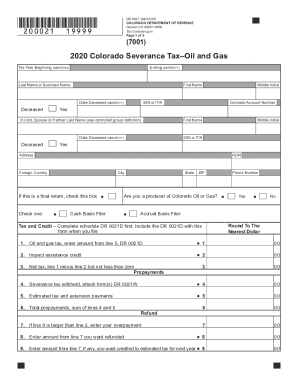
The CO DoR DR0021 Booklet provides essential forms and instructions for filing the Colorado severance tax return for oil and gas. This guide offers step-by-step instructions to help users navigate through the process of filling out the booklet online, ensuring a smooth and accurate submission.
Follow the steps to complete the CO DoR DR0021 Booklet online.
- Click the ‘Get Form’ button to obtain the form and open it in the editor.
- Begin by entering your personal or business information in the designated fields, including your name, SSN or ITIN, and Colorado Account Number.
- Indicate your total gross oil and gas withholding by entering the amounts shown on all your oil and gas withholding statements (DR 0021W). Ensure this amount is correctly rounded to the nearest dollar.
- Provide your estimated tax and extension payments made for the taxable year in the relevant section.
- Calculate your refund or balance due by following the instructions provided in the relevant lines. Make sure all calculations are accurate and properly documented.
- Complete the DR 0021D, Colorado Oil and Gas Severance Tax Schedule, to determine your net tax for the form. This schedule must be included with your return.
- Review your completed information for accuracy and check all necessary documents such as the DR 0021W withholding forms before submission.
- Save your changes, and make sure to download, print, or share the completed form as required.
Complete your CO DoR forms online to ensure timely and accurate submission.