Loading
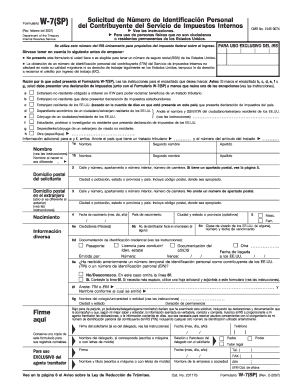
Get Irs W-7(sp) 2007
How it works
-

Open form follow the instructions
-

Easily sign the form with your finger
-

Send filled & signed form or save
How to fill out the IRS W-7(SP) online
The IRS W-7(SP) form is essential for individuals who are not U.S. citizens or permanent residents and require an Individual Taxpayer Identification Number (ITIN). This guide provides clear, step-by-step instructions for completing the form online, ensuring a smooth filing process.
Follow the steps to complete the IRS W-7(SP) online
- Click ‘Get Form’ button to obtain the form and open it in the editor.
- Identify the reason for submitting the W-7(SP). Choose from the provided options (a through h). Make sure to follow the instructions associated with the selected reason.
- Fill in your personal information in section 1. This includes entering your first name, middle name, last name, and any previous names if applicable.
- Provide your mailing address in section 2. Ensure that you include your complete postal address, including city, state or province, country, and postal code.
- In section 3, if your mailing address differs from your current residence, fill in your foreign address. Be specific with your street address and avoid using a P.O. Box.
- Complete section 4 by entering your date of birth in the specified format (month, day, year). Also, provide your country of citizenship and any foreign identification number, if applicable.
- In section 5, select your gender and provide any relevant U.S. visa information in section 6, including the type of visa, number, and expiration date.
- Answer section 6e regarding any previous U.S. taxpayer identification numbers you may have received, and provide the required details in section 6f, if applicable.
- In section 6g, provide the name and address of the educational institution, if relevant, along with the duration of your enrollment.
- Finally, sign and date the form where indicated. Ensure that all provided information is accurate before submitting your application.
- After filling out the form, you can save your changes, download, print, or share the form as needed.
Start filling out your IRS W-7(SP) form online today!
Get form
Experience a faster way to fill out and sign forms on the web. Access the most extensive library of templates available.
The mailing address for IRS forms can vary based on the type of form you are submitting. For the IRS W-7(SP), ensure you check the specific instructions that accompany the form. If in doubt, using services like US Legal Forms can provide clarity on the right mailing address, minimizing the risk of errors.
Get This Form Now!
Use professional pre-built templates to fill in and sign documents online faster. Get access to thousands of forms.