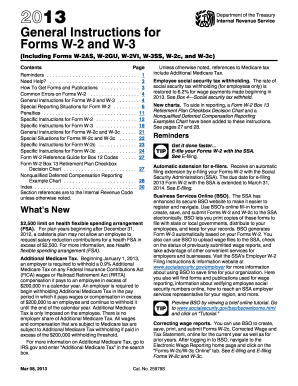
. . . . . . . . . . . . . . . . . . . . . Need Help? . . . . . . . . . . . . . . . . . . . . . . . . . . . . . How To Get Forms and Publications . . . . . . . . . . . Common Errors on Forms W-2 . . . . . . . . . . . . . . . General Instructions for Forms W-2 and W-3 . . . . . Special Reporting Situations for Form W-2 . . . . . . . Penalties . . . . . . . . . . . . . . . . . . . . . . . . . . . . . . . Specific Instructions for Form W-2 . . . . . . . . . . . . . Specific Instructions for Form W.

How it works
  • Open form

    Open form follow the instructions

  • Easily sign form

    Easily sign the form with your finger

  • Share form

    Send filled & signed form or save

How to fill out the IRS Instruction W-2 & W-3 online

Filling out the IRS Instruction W-2 & W-3 forms online can streamline your tax reporting process and ensure accuracy. This guide will walk you through each step required to complete these essential forms with confidence.

Follow the steps to efficiently complete the IRS Instruction W-2 & W-3 online.

  1. Press the ‘Get Form’ button to access the form and open it in your editor.
  2. Enter the employee's social security number in Box a, ensuring accuracy to avoid penalties. If the number is not available, enter 'Applied For'.
  3. Provide your employer identification number (EIN) in Box b. This number should match what appears on your tax documents.
  4. Fill out the employer's name, address, and ZIP code in Box c to match your other employment tax returns.
  5. Use Box d for a control number, if desired, to help identify individual forms.
  6. Complete Boxes e and f with the employee's name and address. Ensure spelling and formatting match the employee's social security card.
  7. In Box 1, report the total taxable wages, tips, and other compensation for the year, ensuring to exclude any retirement plan contributions.
  8. Fill in Box 2 with the total federal income tax withheld from the employee's wages during the tax year.
  9. Continue to fill out Boxes 3 to 8 with the appropriate wage and tax data, as instructed.
  10. Review the information carefully for accuracy before saving your changes, downloading, printing, or sharing the completed form.

Begin completing your IRS Instruction W-2 & W-3 forms online today for smooth and accurate reporting.

Get form

Experience a faster way to fill out and sign forms on the web. Access the most extensive library of templates available.

Questions & Answers

Get answers to your most pressing questions about US Legal Forms API.

Contact support

How do I access W-2?

To access your W-2, you should first contact your employer, as they are responsible for providing this form. Many companies also have online portals where you can log in and download your W-2 directly. If you are unsure about the IRS Instruction W-2 & W-3 requirements or need help, US Legal Forms offers valuable resources to simplify the process and ensure you have the correct form in hand.

You can access your W-2 forms by visiting the IRS website for the IRS Instruction W-2 & W-3. Ensure you have your financial information ready for quick retrieval. Many employers provide W-2 forms electronically, so check your email or employer's portal if you don't receive a physical copy. If you need assistance, consider using the services offered by US Legal Forms to guide you through the process effectively.

Health Savings Account Change In 2018 Could Trip Up Some Consumers. Money deposited in a health savings account is tax-deductible, grows tax-free and can be used to pay for medical expenses. The annual maximum allowable contribution to an HSA is slightly lower for some people this year.

The money deposited into the HSA is not subject to federal income tax at the time of the deposit is made. Additionally, HSA funds will accumulate year-to-year if the money is not spent. HSA funds may be used to pay for qualified medical expenses at any time. ... The interest earned on the account is tax-free.

Hsa Contributions Reduce Your Taxable Income Contributions to a health savings account are considered an above the line deduction. As a result, this can help lower your adjusted gross income (AGI) and could even help you qualify for other deductions and credits that are dependent on your AGI.

Contributions to an HSA are tax deductible on your Form 1040 tax return as an adjustment to income. ... According to the IRS, "Contributions to your HSA made by your employer (including contributions made through a cafeteria plan) may be excluded from your gross income."

If you have contributions to the HSA or distributions from the HSA and you do not have the 8889 on your return, then your contributions and/or distributions are considered taxable.

For 2019, the Internal Revenue Service raised the maximum contribution to HSAs by $50 to $3,500 for individuals and $100 to $7,000 for families. ... Together, your combined contributions to the HSA plans, including any contributions by your employer, can't exceed the IRS-set HSA contribution limits for 2019.

A Yes, you can contribute to your employees' HSAs. Plus, you save on payroll and FICA taxes through tax- deductible contributions. Keep in mind, total combined employer and employee contributions to an employee's HSA can't exceed the annual limit set by the IRS.

While employer contributions to an HSA may be excluded from the employee's income, all employer contributions, including those made by the employee through a cafeteria plan, must be reported in box 12 of the employee's W-2.

Get This Form Now!

Use professional pre-built templates to fill in and sign documents online faster. Get access to thousands of forms.

If you believe that this page should be taken down, please follow our DMCA take down process here.

IRS Instruction W-2 & W-3 Form

This form is available in several versions. Select the version you need from the drop-down list below.

Get IRS Instruction W-2 & W-3