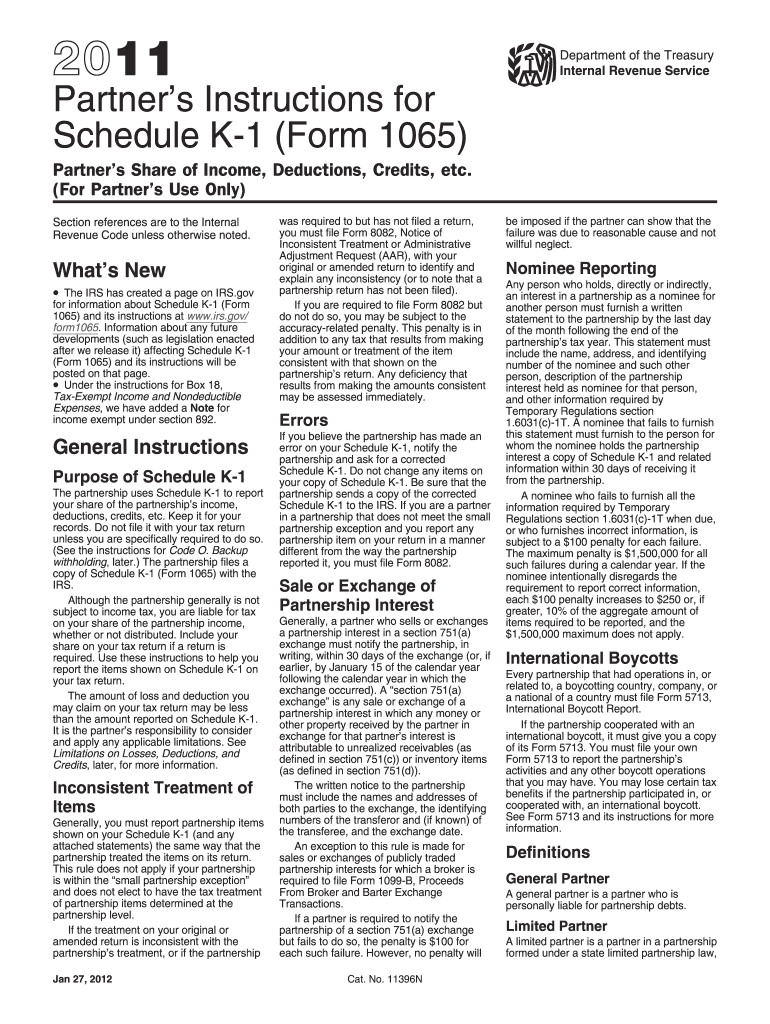
Le K-1 to the IRS. If you are a partner in a partnership that does not meet the small partnership exception and you report any partnership item on your return in a manner different from the way the partnership reported it, you must file Form 8082. Sale or Exchange of Partnership Interest Generally, a partner who sells or exchanges a partnership interest in a section 751(a) exchange must notify the partnership, in writing, within 30 days of the exchange (or, if earlier, by January 15 of the cale.
Loading

Open form follow the instructions

Easily sign the form with your finger

Send filled & signed form or save
How to fill out the IRS Instruction 1065 - Schedule K-1 online
Filling out the IRS Instruction 1065 - Schedule K-1 can seem daunting, but with a clear understanding of the form's components, you can navigate it with confidence. This guide provides a step-by-step approach to assist you in completing the form online, ensuring that you capture all necessary information accurately.
Follow the steps to fill out your IRS Schedule K-1 online.
- Click ‘Get Form’ button to obtain the form and open it in your editor.
- Begin with Part I, which covers information about the partnership. Enter the partnership name, address, and other details requested.
- Move to Part II, which describes information about the partner. Fill in your details, including your name, address, and tax identification number.
- Complete Part III, where you will report your share of the partnership’s income, deductions, credits, and other items. Pay special attention to the specific boxes for different types of income and deductions.
- Check for any attached statements that provide additional information regarding specific entries. If applicable, ensure you report these on your tax return accordingly.
- Once all information has been entered, review the form for accuracy. You may want to consult the instructions for each section to confirm you have included all necessary information.
- After verifying that all fields are filled correctly, you can save changes, download, print, or share the completed Schedule K-1.
Start preparing your IRS Schedule K-1 online today to stay ahead of your tax obligations!
Experience a faster way to fill out and sign forms on the web. Access the most extensive library of templates available.
Related content
Jan 21, 2025 — The partnership uses Schedule K-1 to report your share of the...
Schedule K-1 (Form 1065) reports a partner's share of income, deductions, credits, and...
c Schedules K-1 are filed with the return and furnished to the partners on or before the...
Get answers to your most pressing questions about US Legal Forms API.
How do I file a Schedule K-1 on my taxes?
To file a Schedule K-1 on your taxes, start by collecting the K-1 form you received from the partnership. Use the information from the IRS Instruction 1065 - Schedule K-1 to report the income or loss on your Form 1040. It’s important to ensure all amounts are correctly entered in the appropriate sections. If you are unsure, platforms like uslegalforms can help you navigate filing the K-1 and ensure compliance with tax laws.
Where do I enter Schedule K-1 form 1065 in TurboTax?
To enter Schedule K-1 Form 1065 in TurboTax, navigate to the section for entering income, and select the option for 'S Corporations, Partnerships, and Trusts.' This is where you will input the details from your IRS Instruction 1065 - Schedule K-1. Follow the prompts, as TurboTax is designed to streamline this process, making it easy to incorporate your K-1 into your overall tax return.
Can I file form 1065 myself?
Yes, you can file Form 1065 yourself, provided you understand the necessary requirements and details involved. However, this form can be complex due to partnership rules and calculations. If you prefer clarity, consider using platforms like uslegalforms that can guide you through completing IRS Instruction 1065 - Schedule K-1 and make the filing process smoother. Taking the time to ensure accuracy can save you from future tax issues.
What is an IRS schedule K-1 form 1065?
The IRS Schedule K-1 Form 1065 is a tax document that partnerships use to report profits and losses to their partners. This form provides partners with essential information to correctly report their income or loss on their tax returns. Following IRS Instruction 1065 - Schedule K-1 helps ensure compliance and accurate reporting. Understanding this form is crucial for any partner in a partnership to fulfill their tax obligations.
Who files IRS Schedule K-1?
The IRS Schedule K-1 is filed by partnerships to report each partner's share of income, deductions, and credits. As a partner, you receive this form based on your ownership stake and the reported results of the partnership. The entity must file IRS Instruction 1065 - Schedule K-1, while you, as a partner, use it to report your share on your individual tax return. This ensures transparency in the partnership's financial activities.
How does a K1 affect my personal taxes?
1 influences your personal taxes by reporting your share of income or loss from partnerships. According to the IRS Instruction 1065 Schedule K1, this information must be added to your total income on your tax return. It can increase your taxable income, impacting your tax liability. Make sure to carefully review the K1 details to understand how it affects you.
How do I report K1 on my personal tax return?
To report K-1 on your personal tax return, you'll need to include the information provided on the IRS Instruction 1065 - Schedule K-1. This form details your share of the partnership's income, deductions, and credits. Transfer the amounts from the K-1 to the appropriate sections of your Form 1040. If you use tax software, follow the prompts to input the K-1 data easily.
Where does the Schedule K-1 information flow to on the federal tax return?
The information from Schedule K-1 flows directly to your individual federal tax return, typically reported on Schedule E. This section allows you to report your share of income, losses, and credits from the partnership. By accurately reporting this information, you comply with IRS Instruction 1065 - Schedule K-1 and ensure your tax obligations are met.
Can TurboTax do form 1065?
Yes, TurboTax has the capability to handle form 1065, allowing users to enter their partnership information seamlessly. This software will guide you through the IRS Instruction 1065 - Schedule K-1 process, helping you maximize your deductions and credits. It’s an excellent option if you prefer a DIY approach.
Can I file form 1065 electronically?
Yes, you can file form 1065 electronically through IRS-approved software. Filing electronically is often faster and can reduce errors compared to paper filing. By following IRS Instruction 1065 - Schedule K-1, you ensure that you are filing correctly while taking advantage of convenient online options.
Use professional pre-built templates to fill in and sign documents online faster. Get access to thousands of forms.
If you believe that this page should be taken down, please follow our DMCA take down process here.
This form is available in several versions. Select the version you need from the drop-down list below.