Loading
Get Irs 990 - Schedule R 2016
This website is not affiliated with IRS
How it works
-

Open form follow the instructions
-

Easily sign the form with your finger
-

Send filled & signed form or save
How to fill out the IRS 990 - Schedule R online
Filling out the IRS 990 - Schedule R is a crucial step for organizations that have related organizations or partnerships. This guide will provide you with clear and concise instructions on how to complete the form online, ensuring compliance with IRS requirements.
Follow the steps to complete the IRS 990 - Schedule R
- Click ‘Get Form’ button to obtain the IRS 990 - Schedule R and open it in the document editor of your choice.
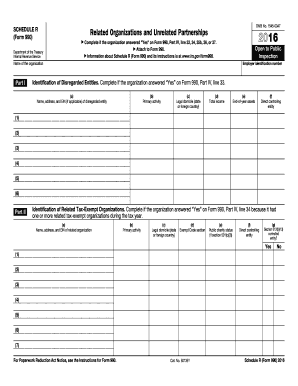
- Begin filling out Part I, which is the identification of disregarded entities, if your organization answered 'Yes' on Form 990, Part IV, line 33. Provide the name, address, and EIN (if applicable) of each disregarded entity along with their primary activity, legal domicile, total income, end-of-year assets, and direct controlling entity.
- Proceed to Part II to identify related tax-exempt organizations. Complete this section if you answered 'Yes' on Form 990, Part IV, line 34. List the name, address, and EIN of each related organization and provide details on their primary activity, legal domicile, exempt code section, public charity status, direct controlling entity, and whether they are controlled entities under section 512(b)(13).
- Move to Part III to identify related organizations that are taxable as partnerships. As in previous sections, populate the fields with the required information such as name, address, EIN, primary activity, and more. Ensure to include share-related data on income and assets.
- In Part IV, provide details for related organizations taxable as corporations or trusts. Follow the same structure to provide information including the organization's name, primary activity, type of entity, income, and asset shares.
- For Part V, report any transactions with related organizations. Answer yes or no to each transaction type listed and detail any involved organizations, transaction types, amounts, and methods of determining those amounts.
- Complete Part VI if your organization answered 'Yes' on Form 990, Part IV, line 37 by providing information about unrelated organizations taxable as partnerships, detailing activities through which the organization conducted a significant portion of its operations.
- If additional information is necessary, utilize Part VII for any supplemental details regarding your responses throughout the form.
- After filling out all applicable sections, review your entries carefully for accuracy. Once satisfied, you can save changes, download, print, or share the completed form.
Complete your IRS 990 - Schedule R online today to ensure your organization's compliance.
Get form
Experience a faster way to fill out and sign forms on the web. Access the most extensive library of templates available.
Related links form
Yes, the IRS 990 forms, including the IRS 990 - Schedule R, are publicly available. This openness allows anyone to access information about nonprofit organizations, promoting accountability and transparency. You can view these forms through various online resources, such as the IRS website and nonprofit databases like uslegalforms.
Get This Form Now!
Use professional pre-built templates to fill in and sign documents online faster. Get access to thousands of forms.