Loading
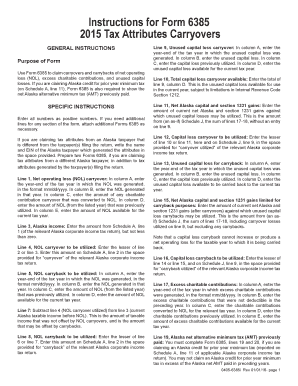
Get Ak 0405-6385i 2015
How it works
-

Open form follow the instructions
-

Easily sign the form with your finger
-

Send filled & signed form or save
How to fill out the AK 0405-6385i online
Filling out the AK 0405-6385i form is essential for claiming carryovers and carrybacks related to net operating losses, excess charitable contributions, and unused capital losses. This guide provides clear and concise instructions for successfully completing the form online.
Follow the steps to fill out the AK 0405-6385i form effectively.
- Press the ‘Get Form’ button to access the form and open it in the editor.
- Enter all required information as positive numbers. If additional lines are needed for any section, attach extra Forms 6385 as necessary.
- If claiming tax attributes from a different Alaska taxpayer, provide their name and EIN in the applicable space.
- For Line 1, record the year-end of the tax year for the NOL in column A (mm/dd/yyyy format) and enter the NOL generated in column B. Use column C for charitable contributions converted to NOL and column D for previously utilized NOL amounts. Lastly, in column E, indicate the NOL available for the current tax year.
- For Line 3, input the amount from Schedule A, line 1 of the relevant Alaska corporate income tax return, ensuring it is not less than zero.
- On Line 4, write the lesser of line 2 or line 3. This figure should be entered on Schedule A, line 2 in the designated ‘carryover’ space.
- For Line 5, document the year-end of the tax year for NOL carryback in column A, with the NOL generated in column B, previously utilized amounts in column C, and the current tax year available NOL in column D.
- Line 7 requires you to subtract line 4 (NOL carryover utilized) from line 3 (current taxable income) to determine the amount of taxable income that remains un-offset.
- On Line 8, enter the lesser of line 6 or line 7, and this amount should also be recorded on Schedule A, line 2 in the 'carryback' area.
- For Line 9, fill in the year-end of the tax year for the unused capital loss in column A, while entering the unused capital loss in column B, previously utilized loss in column C, and available unused capital loss in column D.
- Line 10 requires entering the total of line 9, column D, which represents the unused capital loss for the current year, subject to relevant IRS limitations.
- For Line 11, enter the amount of current net Alaska and section 1231 gains that can be offset by unused capital losses (from the applicable Schedule J).
- On Line 12, note the lesser of line 10 or line 11 for the capital loss carryover utilized on Schedule J, line 9.
- For Line 13, enter the year-end of the tax year for the unused capital loss in column A, with the respective values in columns B, C, and D.
- In Line 15, write the amount of current net Alaska and section 1231 gains limited for carryback purposes, referencing Schedule J as necessary.
- Complete Line 16 with the lesser of line 14 or line 15 for the capital loss carryback utilized, to be recorded on Schedule J, line 9.
- For Line 17, input the year-end of the tax year for the excess charitable contributions in column A, followed by the amount not deductible in the preceding year in column B, converted amounts in column C, previously utilized contributions in column D, and the available contributions in column E.
- Lastly, for Line 19, confirm that Form 6385 lines 19 and 20 are completed if claiming an Alaska credit for prior year minimum tax.
- Once all fields are completed, save your changes, download, print, or share the form as needed.
Start filling out your AK 0405-6385i form online today.
Get form
Experience a faster way to fill out and sign forms on the web. Access the most extensive library of templates available.
Related links form
Filling out your withholding form involves providing your personal information and determining your allowances. For the AK 0405-6385i, assess your financial situation and make sure you know how many allowances to claim. If you're unsure, uslegalforms offers various tools and resources to help streamline this process.
Get This Form Now!
Use professional pre-built templates to fill in and sign documents online faster. Get access to thousands of forms.