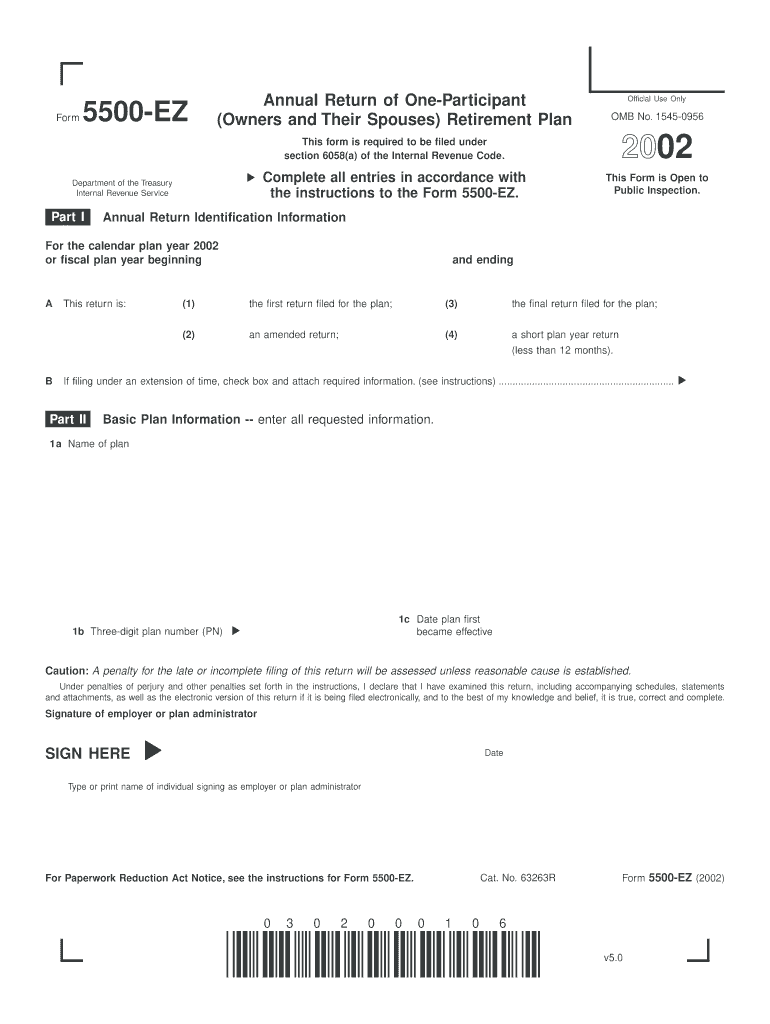
Er Zip Code (d) Profit-sharing plan Defined benefit pension plan described in Code section 412(i) (e) Stock bonus plan Money purchase pension plan (see instructions) (f) ESOP plan (attach Schedule E (Form 5500)) 7a If this is a master/prototype, or regional prototype plan, enter the opinion/notification letter number .......... b Check if this plan covers: (2) (3) Partner(s) in a partnership, or 100% owner of corporation 8a Enter the number of qualified pension benefit plans maint.

Open form follow the instructions

Easily sign the form with your finger

Send filled & signed form or save
How to fill out and sign IRS 5500-EZ online?
Get your online template and fill it in using progressive features. Enjoy smart fillable fields and interactivity.Follow the simple instructions below:
When individuals aren’t linked to document management and legal processes, completing IRS paperwork can be incredibly tedious.
We completely understand the importance of accurately completing documents.
Leveraging our robust solution can certainly make professional completion of IRS 5500-EZ a reality. We will do everything for your ease and speedy work.
- Click on the button Get Form to open it and start editing.
- Fill all required fields in your file using our user-friendly PDF editor. Activate the Wizard Tool to make the process even simpler.
- Ensure the accuracy of the information entered.
- Add the date of completion for IRS 5500-EZ. Utilize the Sign Tool to create your personal signature for document validation.
- Finish editing by clicking Done.
- Submit this document directly to the IRS in the method most convenient for you: via email, using virtual fax, or through postal service.
- You can print it on paper when a copy is necessary and download or save it to your preferred cloud storage.
Tips on how to fill out, edit and sign IRS 5500-EZ online
How to fill and sign IRS 5500-EZ
Get your online template and fill it in using progressive features. Enjoy smart fillable fields and interactivity.Follow the simple instructions below:
When individuals aren’t linked to document management and legal processes, completing IRS paperwork can be incredibly tedious.
We completely understand the importance of accurately completing documents.
Leveraging our robust solution can certainly make professional completion of IRS 5500-EZ a reality. We will do everything for your ease and speedy work.
- Click on the button Get Form to open it and start editing.
- Fill all required fields in your file using our user-friendly PDF editor. Activate the Wizard Tool to make the process even simpler.
- Ensure the accuracy of the information entered.
- Add the date of completion for IRS 5500-EZ. Utilize the Sign Tool to create your personal signature for document validation.
- Finish editing by clicking Done.
- Submit this document directly to the IRS in the method most convenient for you: via email, using virtual fax, or through postal service.
- You can print it on paper when a copy is necessary and download or save it to your preferred cloud storage.
How to edit IRS 5500-EZ
How to modify Get IRS 5500-EZ 2002: personalize forms online
Eliminate the clutter from your documentation routine. Uncover the easiest method to locate, modify, and submit a Get IRS 5500-EZ 2002
The task of preparing Get IRS 5500-EZ 2002 requires precision and attention, particularly from those who are not well-versed in this kind of work. It is essential to find an appropriate template and complete it with accurate details. With the right approach for managing paperwork, you can have all the tools within reach.
It is simple to enhance your editing workflow without acquiring new skills. Locate the appropriate example of Get IRS 5500-EZ 2002 and fill it out immediately without navigating between your browser tabs. Discover additional tools to tailor your Get IRS 5500-EZ 2002 form in the editing mode.
While on the Get IRS 5500-EZ 2002 page, click on the Get form button to commence editing. Input your details into the form on the spot, as all necessary tools are available right here. The template is pre-designed, so minimal effort is required from the user. Just use the interactive fillable areas in the editor to complete your documents effortlessly. Simply click on the form and transition to the editor mode without delay. Fill out the interactive section, and your document is ready.
If you need to add annotations to specific parts of the document, select the Sticky tool and place a note where desired. Often, a minor mistake can undermine the entire form when completed manually. Forget about inaccuracies in your documentation. Locate the templates you need in moments and finalize them digitally through a smart editing solution.
- Add additional text around the document if necessary.
- Utilize the Text and Text Box tools to embed text in an isolated box.
- Incorporate pre-designed graphic elements like Circle, Cross, and Check using appropriate tools.
- If required, capture or upload images to the document with the Image instrument.
- For drawing needs in the document, engage Line, Arrow, and Draw tools.
- Experiment with the Highlight, Erase, and Blackout instruments to modify the text in the document.
How to fill and sign IRS 5500-EZ
Get your online template and fill it in using progressive features. Enjoy smart fillable fields and interactivity.Follow the simple instructions below:
When individuals aren’t linked to document management and legal processes, completing IRS paperwork can be incredibly tedious.
We completely understand the importance of accurately completing documents.
Leveraging our robust solution can certainly make professional completion of IRS 5500-EZ a reality. We will do everything for your ease and speedy work.
- Click on the button Get Form to open it and start editing.
- Fill all required fields in your file using our user-friendly PDF editor. Activate the Wizard Tool to make the process even simpler.
- Ensure the accuracy of the information entered.
- Add the date of completion for IRS 5500-EZ. Utilize the Sign Tool to create your personal signature for document validation.
- Finish editing by clicking Done.
- Submit this document directly to the IRS in the method most convenient for you: via email, using virtual fax, or through postal service.
- You can print it on paper when a copy is necessary and download or save it to your preferred cloud storage.
Experience a faster way to fill out and sign forms on the web. Access the most extensive library of templates available.
Related content
Nov 12, 2024 — Form 5500-EZ is used by one-participant plans and certain foreign plans...
2 days ago — One-participant plans must file Form 5500-EZ if plan assets exceed $250,000...
Jan 26, 2017 — You must file Form 5500EZ or Form. 5500SF. All oneparticipant plans...
Get answers to your most pressing questions about US Legal Forms API.
What is the penalty for not filing form 5500-EZ?
The penalty for failing to file form 5500-EZ can be significant, reaching up to $1,100 per day. This fine can create considerable financial stress for plan sponsors. To avoid these risks, consider using the resources on our US Legal Forms platform, which helps ensure timely and accurate filing.
Who is required to file form 5500-EZ?
The IRS 5500-EZ must be filed by certain one-participant retirement plans and small businesses. If you run a solo 401(k) or a similar plan, you should be aware of this filing requirement. Ensuring you understand whether you're eligible to file the IRS 5500-EZ is crucial for maintaining compliance.
Do accountants file form 5500?
Yes, accountants often assist employers in filing the form 5500, especially for larger plans requiring detailed financial reporting. Their expertise can streamline the filing process and provide reassurance regarding compliance. Using the IRS 5500-EZ form may also simplify tasks for these professionals in managing small plans.
What happens if you don't file form 5500?
Failing to file the form 5500 can lead to serious consequences, including hefty fines and penalties. The IRS may impose a fine for each day late, which can accumulate quickly. Utilizing our platform at US Legal Forms can provide guidance and resources to help ensure you stay compliant with the IRS 5500-EZ filing requirements.
Who files the IRS form 5500?
The IRS form 5500 is generally filed by plan administrators or employers who maintain employee benefit plans. These individuals or entities play a key role in ensuring compliance with federal regulations. By accurately filing the IRS 5500-EZ, they can report important information about the plan's funding, investments, and operations.
Who counts as a participant for 5500?
A participant in a 5500 filing includes anyone who is eligible to receive benefits from the plan. This encompasses current employees, vested former employees, and retired individuals. Understanding your participant count is crucial for accurate filing of the IRS 5500-EZ, especially if you need to determine if you are obligated to file.
What is the difference between 5500 and 5500-EZ?
The main difference between 5500 and 5500-EZ lies in the complexity and size of the plan. The IRS 5500 form is used for larger plans, while the 5500-EZ is intended for one-participant retirement plans. Filing the 5500-EZ simplifies reporting for smaller plans, thus alleviating some administrative burdens while still maintaining compliance.
Who is required to file a 5500 form?
Organizations operating employee benefit plans are typically required to file a 5500 form. This includes pension, health, and welfare plans. If you manage a plan with more than 100 participants, you must submit this form annually. Employers need to ensure they stay compliant with the IRS regulations surrounding the IRS 5500-EZ.
Can I file my own form 5500?
Yes, you can file IRS 5500-EZ on your own. However, it is essential to have a clear understanding of your obligations and the required information. If you feel uncertain or lack the time, consider utilizing services like UsLegalForms to simplify the filing process and provide peace of mind.
How do I file form 5500-EZ?
To file IRS 5500-EZ, you must complete the form accurately and submit it to the IRS either electronically or via mail. Ensure that you have all necessary information about your retirement plan before you begin. Using an organized platform like UsLegalForms can assist you in completing this process efficiently and correctly.
Use professional pre-built templates to fill in and sign documents online faster. Get access to thousands of forms.
If you believe that this page should be taken down, please follow our DMCA take down process here.
This form is available in several versions. Select the version you need from the drop-down list below.