Loading
Get Irs 4506t-ez 2017
This website is not affiliated with IRS
How it works
-

Open form follow the instructions
-

Easily sign the form with your finger
-

Send filled & signed form or save
How to fill out the IRS 4506T-EZ online
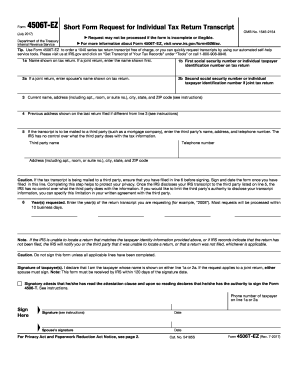
The IRS 4506T-EZ is a short form request for an individual tax return transcript. This guide will provide you with clear, step-by-step instructions on how to fill out the form online to ensure accuracy and efficiency.
Follow the steps to complete the IRS 4506T-EZ form online.
- Click ‘Get Form’ button to obtain the form and open it in the editor.
- In section 1a, enter the name shown on your tax return. If it is a joint return, provide the name of the first person listed.
- If you are filing a joint return, enter your spouse's name in section 2a.
- Fill in your current address in section 3, including apartment or suite number, city, state, and ZIP code.
- If the transcript is to be sent to a third party, input the third party's details, including their name, telephone number, and address, in section 5. This step is crucial for maintaining privacy.
- Ensure you have completed all required lines before signing. In the signature area, attest that you are the taxpayer indicated and provide your signature and date.
- If applicable, have your spouse sign and date the form as well.
Start filling out the IRS 4506T-EZ online today to request your tax transcripts efficiently.
Get form
Experience a faster way to fill out and sign forms on the web. Access the most extensive library of templates available.
The main difference is the simplicity of the IRS 4506T-EZ compared to the IRS 4506-T. The EZ version is intended for individuals with simpler tax situations and less complex requests. If your needs fit the criteria, the IRS 4506T-EZ can save you time and paperwork. USLegalForms can assist you in determining which form is suitable for your situation.
Get This Form Now!
Use professional pre-built templates to fill in and sign documents online faster. Get access to thousands of forms.