Loading
Form preview
  • US Legal Forms
  • Other Templates
  • Tax Forms
  • Executive Department Treasury IRS Forms
  • Irs Instruction 1041 2019

Get Irs Instruction 1041 2019

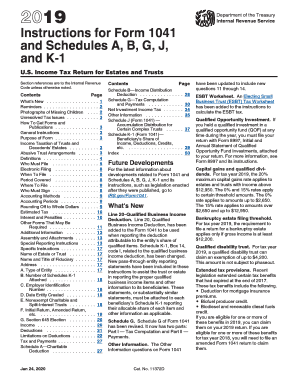
D its instructions, such as legislation enacted after they were published, go to IRS.gov/Form1041. What's New Expired tax benefits. At the time these instructions went to print, several credits and deductions available to estates and trusts expired December 31, 2017. To find out if legislation extended these credits and deductions and made them available for 2018, go to IRS.gov/Extenders. Due date of return. File Form 1041 by April 15, 2019. If the estate or trust is located in Maine or Massach.

This website is not affiliated with IRS

How it works

  1. Open form

    Open form follow the instructions

  2. Easily sign form

    Easily sign the form with your finger

  3. Share form

    Send filled & signed form or save

How to fill out the IRS Instruction 1041 online

This guide provides comprehensive instructions to help users fill out the IRS Instruction 1041 form online. Designed for estates and trusts, this form is essential for reporting income, deductions, gains, and other items, ensuring compliance with IRS regulations.

Follow the steps to successfully complete the IRS Instruction 1041 form.

  1. Click the ‘Get Form’ button to obtain the form and open it in the editor.
  2. Enter the name of the estate or trust as it appears on the application for the Employer Identification Number (EIN). Ensure this name is accurate as it will be used for identification.
  3. Provide the name and title of the fiduciary responsible for the estate or trust. This person will be the primary contact with the IRS.
  4. Complete the address section by including the street address, city, state, and zip code. Include a suite or room number if applicable.
  5. Indicate the type of entity by checking the appropriate boxes. This includes identifying whether it is a decedent's estate, trust, or other relevant category.
  6. Fill in the Employer Identification Number (EIN) assigned to the estate or trust. If you do not have an EIN by the due date, write 'Applied for' and the date you applied.
  7. Provide the date the estate or trust was created or, for a decedent's estate, the date of the decedent's death.
  8. Complete the income section by entering various types of income such as interest, dividends, business income, capital gains, and others as applicable. Make sure to report accurately to reflect all income generated.
  9. Itemize deductions such as taxes, fiduciary fees, and any other eligible expenses that can be claimed. Make sure these amounts are supported by proper documentation.
  10. Review the completed form for accuracy. Ensure all required fields are filled and that the information matches other documents like Schedules K-1 attached to the form.
  11. Upon final review, options should be available to save changes, download, or print the completed form for submission.

Begin the process of filing your IRS documents online today to ensure compliance and avoid penalties.

Get form

Experience a faster way to fill out and sign forms on the web. Access the most extensive library of templates available.

Related content

2024 Instructions for Form 1041 and Schedules A...
Due date of return. Calendar year estates and trusts must file Form 1041 by April 15...
Learn more
FORM 1041 (1936)
**Cost of property must be entered in Column 5 if a loss is claimed in Column 8. State (1)...
Learn more
2014 Instructions for Form 1040NR
Apr 15, 2015 — Instructions for Form 1041, line 15c. When those line instructions refer...
Learn more

Related links form

DOH-5025 2011 Hospital for Special Surgery Patient Registration Form NY AGL 900 2016 NY Certification By Insurance Broker Or Agent

Questions & Answers

Get answers to your most pressing questions about US Legal Forms API.

Contact support

You can obtain IRS instructions by visiting the IRS website, where you can download forms and instructions, including IRS Instruction 1041. The website offers comprehensive guidance, making it easy to understand your requirements. Additionally, you can call the IRS for clarification if necessary. For a more structured approach, USLegalForms can provide access to a variety of instructional materials tailored for your needs.

To close a trust with the IRS, you need to file Form 1041 for the final year of the trust's existence, marking it as a final return according to IRS Instruction 1041. Settle all financial affairs and make distributions as necessary before filing. After filing, ensure to communicate closure to beneficiaries properly and document everything. USLegalForms can help guide you through the closing process effectively.

Yes, IRS Form 1041 can be filed electronically when you utilize IRS-approved software. This method enhances efficiency as it minimizes the chances of errors and expedites processing. Refer to IRS Instruction 1041 for specific guidelines on e-filing. For added support, consider USLegalForms, which can provide additional tools and steps needed for a successful electronic filing.

Some forms cannot be electronically filed, including certain amendments and forms that require supporting documentation. It is essential to consult IRS Instruction 1041 for a comprehensive list of forms not eligible for e-filing. By knowing these limitations, you can prepare for alternative filing methods. If you need assistance navigating this, USLegalForms offers resources to clarify these filing rules.

Yes, the Illinois 1041 can be filed electronically through the state’s approved e-filing systems. It is important to follow the regulations as laid out in IRS Instruction 1041 and relevant state instructions for a smooth filing experience. Electronic filing provides immediate feedback, helping you confirm acceptance faster. USLegalForms can provide information on how to navigate state-specific requirements effectively.

You can file IRS Form 1041 electronically if you use approved software. Filing electronically streamlines the process, making it faster and reducing the chance of errors. Refer to IRS Instruction 1041 for detailed guidelines on e-filing and the requirements involved. Additionally, check out USLegalForms for tools and resources that can simplify your tax filing process.

Yes, you can file an estate tax return electronically, but it depends on the specific circumstances and the form being used. Ensure everything is complete and accurate according to IRS Instruction 1041. E-filing offers a convenient method to submit your return without the hassle of mailing paper forms. USLegalForms provides options and instructions for electronic filing if you need assistance.

To fill out Schedule D of IRS Form 1041, begin by gathering necessary financial information about the estate or trust’s capital gains and losses. Use the figures from the sale of assets reported on other forms and ensure accurate reporting. Follow the IRS Instruction 1041 closely to avoid errors, as it outlines the specific calculations needed for gains and losses. If you're unsure, consider using USLegalForms to guide you through the process with available resources.

Form 1041 is the U.S. Income Tax Return for Estates and Trusts, required when an estate or trust has gross income. It helps report the income received by the trust and distributes it to beneficiaries, if applicable. The IRS Instruction 1041 provides a straightforward framework to understand filing requirements. For those unfamiliar with tax forms, using US Legal Forms can simplify the entire process and guide you through each step.

Schedule D line 13 relates to reporting gains or losses from transactions involving options or futures contracts. Consult the IRS Instruction 1041 for specifics on how to calculate the amounts to enter. Proper understanding is key to ensure compliance and accurate reporting. Using platforms like US Legal Forms can help you interpret these instructions correctly, offering necessary tools for tax filing.

Get This Form Now!

Use professional pre-built templates to fill in and sign documents online faster. Get access to thousands of forms.
If you believe that this page should be taken down, please follow our DMCA take down processhere.
Get IRS Instruction 1041
  • Adoption
  • Bankruptcy
  • Contractors
  • Divorce
  • Home Sales
  • Employment
  • Identity Theft
  • Incorporation
  • Landlord Tenant
  • Living Trust
  • Name Change
  • Personal Planning
  • Small Business
  • Wills & Estates
  • Packages A-Z
  • Affidavits
  • Bankruptcy
  • Bill of Sale
  • Corporate - LLC
  • Divorce
  • Employment
  • Identity Theft
  • Internet Technology
  • Landlord Tenant
  • Living Wills
  • Name Change
  • Power of Attorney
  • Real Estate
  • Small Estates
  • Wills
  • All Forms
  • Forms A-Z
  • Other Templates
  • Legal Hub
  • About Us
  • Help Portal
  • Legal Resources
  • Blog
  • Affiliates
  • Contact Us
  • Delete My Account
  • Site Map
  • Industries
  • Forms in Spanish
  • Localized Forms
  • State-specific Forms
  • Forms Kit
  • Real Estate Handbook
  • All Guides
  • Notarize
  • Incorporation services
  • For Consumers
  • For Small Business
  • For Attorneys
  • USLegal
  • FormsPass
  • pdfFiller
  • signNow
  • altaFlow
  • DocHub
  • Instapage
Form Packages
  • Adoption
  • Bankruptcy
  • Contractors
  • Divorce
  • Home Sales
  • Employment
  • Identity Theft
  • Incorporation
  • Landlord Tenant
  • Living Trust
  • Name Change
  • Personal Planning
  • Small Business
  • Wills & Estates
  • Packages A-Z
Form Categories
  • Affidavits
  • Bankruptcy
  • Bill of Sale
  • Corporate - LLC
  • Divorce
  • Employment
  • Identity Theft
  • Internet Technology
  • Landlord Tenant
  • Living Wills
  • Name Change
  • Power of Attorney
  • Real Estate
  • Small Estates
  • Wills
  • All Forms
  • Forms A-Z
  • Other Templates
Customer Service
  • Legal Hub
  • About Us
  • Help Portal
  • Legal Resources
  • Blog
  • Affiliates
  • Contact Us
  • Delete My Account
  • Site Map
  • Industries
  • Forms in Spanish
  • Localized Forms
  • State-specific Forms
  • Forms Kit
Legal Guides
  • Real Estate Handbook
  • All Guides
Prepared for you
  • Notarize
  • Incorporation services
Our Customers
  • For Consumers
  • For Small Business
  • For Attorneys
Our Sites
  • USLegal
  • FormsPass
  • pdfFiller
  • signNow
  • altaFlow
  • DocHub
  • Instapage
Social Media
Call us now toll free:
+1 833 426 79 33
As seen in:
© Copyright 1999-2026 airSlate Legal Forms, Inc. 17 Station Street, Ste. 203, Brookline, MA 02445
  • Your Privacy Choices
  • Terms of Service
  • Privacy Notice
  • Content Takedown Policy
  • Bug Bounty Program
IRS Instruction 1041
This form is available in several versions.
Select the version you need from the drop-down list below.
2022 IRS Instruction 1041
Select form
  • 2022 IRS Instruction 1041
  • 2020 IRS Instruction 1041
  • 2019 IRS Instruction 1041
  • 2018 IRS Instruction 1041
  • 2017 IRS Instruction 1041
  • 2016 IRS Instruction 1041
  • 2015 IRS Instruction 1041
  • 2014 IRS Instruction 1041
  • 2013 IRS Instruction 1041
  • 2011 2011 Irs Form 1041irs Forms
Select form