Loading
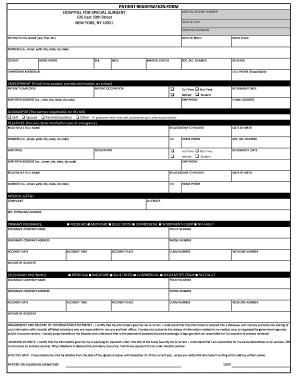
Get Hospital For Special Surgery Patient Registration Form
How it works
-

Open form follow the instructions
-

Easily sign the form with your finger
-

Send filled & signed form or save
How to fill out the Hospital for Special Surgery Patient Registration Form online
Filling out the Hospital for Special Surgery Patient Registration Form online is a straightforward process designed to collect essential information for your visit. This guide will walk you through each section of the form to ensure that all required details are accurately provided.
Follow the steps to fill out the patient registration form online
- Click ‘Get Form’ button to obtain the form and open it in the editor.
- Begin by entering your medical record number if available. If this is your first visit, you may leave this field blank.
- Fill in the date of your visit and the name of your hospital physician.
- Provide the patient's full name, including last name, first name, and middle initial.
- Enter the date of birth and place of birth.
- Include the social security number, if applicable, and your religion.
- Enter your permanent address, including the street address, apartment number (if applicable), city, state, and zip code.
- Specify the county in which you reside and provide your home phone and cell phone numbers, if applicable.
- Indicate your sex, race, and marital status.
- If you have a temporary address, fill in that information as well.
- Provide details about your employment, including your employer's name, occupation, employer's address, and whether you are full-time, part-time, retired, or a student.
- If applicable, provide the retirement date and employer phone number.
- Enter your email address for further communications.
- Identify the guarantor responsible for the bill, selecting from options like self, spouse, parent/guardian, or other. If other, provide their details.
- Complete the emergency contact section by filling out the names and relationships of relatives to be notified in case of an emergency.
- Fill in the medical details section, including any complaints or allergies.
- Provide information about your primary and secondary insurance, including insurance company names, policy numbers, and any relevant accident details.
- Read and complete the assignment and release of information statement, ensuring you understand your responsibilities regarding insurance and payments.
- Sign and date the form at the bottom to complete your registration.
- After completing all sections, you can save changes, download, print, or securely share the form as needed.
Take the first step towards your healthcare needs by completing the patient registration form online now.
Filling out a patient release form at the Hospital for Special Surgery is straightforward. Begin by providing your personal information and the details of the medical records you wish to release. Clearly specify the purpose of the release to ensure compliance with legal requirements. Finally, sign and date the form to validate your request.