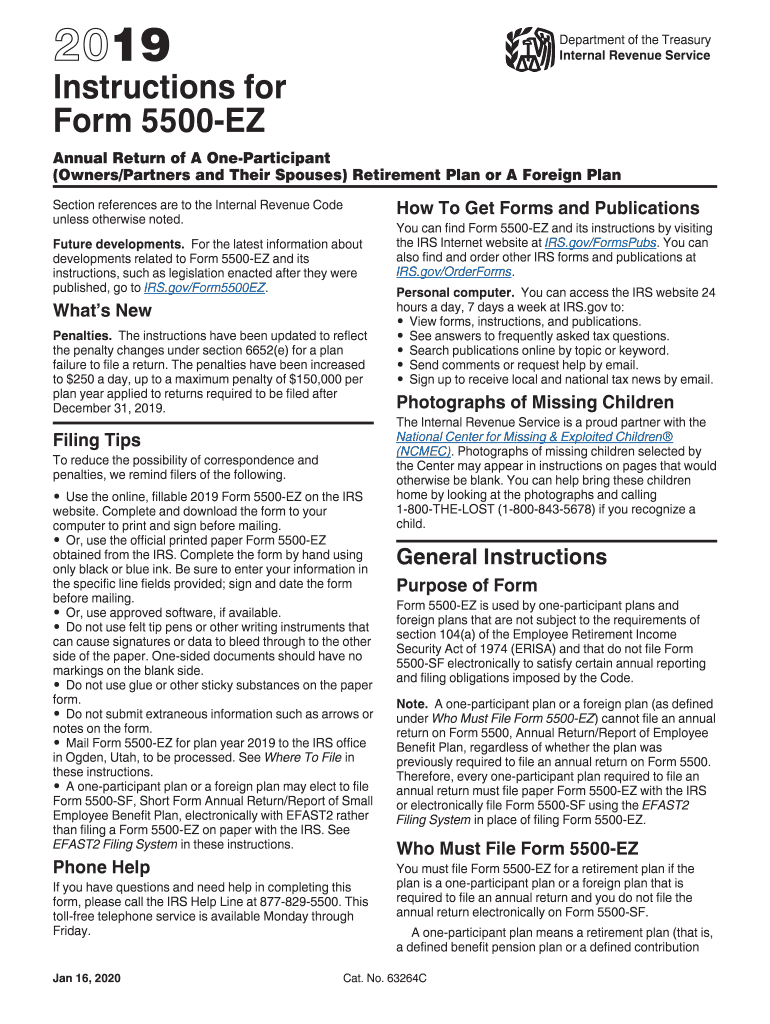
S Section references are to the Internal Revenue Code unless otherwise noted. Future developments. For the latest information about developments related to Form 5500-EZ and its instructions, such as legislation enacted after they were published, go to IRS.gov/Form5500EZ. What's New Principal Business Activity Codes. The Principal Business Activity Codes, located at the end of these instructions, have been updated and revised to reflect updates to the North American Industry Classification Syst.

Open form follow the instructions

Easily sign the form with your finger

Send filled & signed form or save
How to fill out the IRS 5500-EZ Instructions online
Completing the IRS 5500-EZ Form can be straightforward with the right guidance. This guide offers detailed instructions on how to fill out the form online, ensuring that you meet all necessary requirements efficiently.
Follow the steps to fill out the IRS 5500-EZ form online:
- Click ‘Get Form’ button to obtain the form and open it in the editor.
- Identify the purpose of Form 5500-EZ, which is used by one-participant plans and foreign plans not subject to ERISA.
- Fill out Part I with the annual return identification information. Enter the calendar or fiscal year dates and specify if it is the first return.
- Complete Part II to provide basic plan information. Enter the plan name, plan number, and employer details following the specified format.
- Proceed to Part III, where you will input financial information. This includes total plan assets and liabilities.
- In Part IV, specify applicable plan characteristics codes that describe the plan's features during the reporting year.
- Answer compliance questions in Part V, including any participant loans outstanding.
- Review all sections for accuracy and completeness before saving your changes, downloading the completed form, or printing it for submission.
- Mail the completed Form 5500-EZ to the designated IRS address for processing.
Complete your IRS forms online to ensure compliance and timely submission.
Experience a faster way to fill out and sign forms on the web. Access the most extensive library of templates available.
Related content
Form 5500-EZ is for one-participant plans (owners/partners and their spouses) and foreign...
The plan administrator or employer (owner) must sign and date Form 5500-EZ. Penalties. The...
The Form 5500-EZ cannot be submitted electronically through EFAST2. However, a...
Get answers to your most pressing questions about US Legal Forms API.
What is the difference between 5500 and 5500 EZ?
The primary difference between Form 5500 and Form 5500-EZ lies in the user base; Form 5500 applies to a broader array of employee benefit plans, while Form 5500-EZ is limited to one-participant plans. Additionally, Form 5500 requires more detailed disclosures compared to the simpler 5500-EZ. It's essential to choose the correct form that fits your plan and follow the corresponding IRS 5500-EZ Instructions closely.
What is a Schedule I for 5500?
Schedule I is a component of the Form 5500 series, specifically used to report information regarding plan investments. It helps detail the financial activities and assets of the plan. To correctly fill out this schedule, refer closely to the IRS 5500-EZ Instructions for guidance.
What is the difference between Form 5500 and 5500-EZ?
Form 5500 is the standard filing form for many employee benefit plans, while Form 5500-EZ is designed for one-participant plans and certain small retirement plans. The primary difference lies in the complexity and the types of plans that each form caters to. Each form requires different reporting, so it’s crucial to reference the IRS 5500-EZ Instructions to determine which form to file.
Who is required to file form 5500-EZ?
Form 5500-EZ must be filed by certain retirement plans, particularly those that meet specific requirements regarding plan size and type. Employers running single-employer pension plans or those that do not have more than 100 participants generally need to file. It's important to verify your eligibility with the IRS 5500-EZ Instructions.
What happens if you don't file form 5500-EZ?
Failing to file Form 5500-EZ can lead to serious consequences, including penalties and loss of tax advantages. The IRS may impose daily fines, and the plan might be at risk of being disqualified. To safeguard against these issues, carefully follow the IRS 5500-EZ Instructions.
What is the Schedule D of the 5500?
Schedule D is an attachment for certain Form 5500 filings, which details specific information regarding the transactions of employee benefit plans. This schedule helps provide clarity and transparency into the plan's financials. Understanding this section is essential, so be sure to consult the IRS 5500-EZ Instructions when preparing your filing.
Can you switch from 5500-sf to 5500-ez?
Yes, you can switch from Form 5500-SF to Form 5500-EZ if your plan's assets exceed the limit set for simplified filing. This switch might be necessary when your plan grows or changes. Make sure to follow the guidelines outlined in the IRS 5500-EZ Instructions to ensure compliance.
What is the penalty for filing Form 5500 late?
Filing Form 5500 late can result in significant penalties, including monetary fines. The IRS imposes a penalty of $1,100 per day for late filings, up to a maximum of $30,000. To avoid these penalties, it is vital to adhere to the IRS 5500-EZ Instructions and ensure timely submissions.
Can I file Form 5500 myself?
Filing Form 5500 yourself is possible if you feel confident in your understanding of the requirements and instructions. Make sure to follow the IRS 5500-EZ Instructions closely to avoid any errors. The US Legal Forms platform offers tools and templates to simplify the filing process, should you need additional help.
Does a self-employed 401k need to file a 5500?
Generally, self-employed individuals with a 401(k) are exempt from filing Form 5500 as long as there are no other plan participants. However, certain situations may require filing Form 5500-EZ. It is essential to understand your specific requirements by adhering to IRS 5500-EZ Instructions. Consider checking out US Legal Forms for clarity and helpful resources.
Use professional pre-built templates to fill in and sign documents online faster. Get access to thousands of forms.
If you believe that this page should be taken down, please follow our DMCA take down process here.
This form is available in several versions. Select the version you need from the drop-down list below.