Get Ny Dtf Tr-579-it 2019
How it works
-

Open form follow the instructions
-

Easily sign the form with your finger
-

Send filled & signed form or save
How to fill out the NY DTF TR-579-IT online
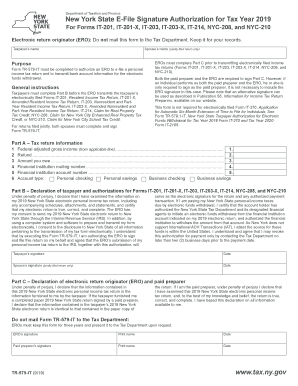
Filling out the NY DTF TR-579-IT form is an essential step in authorizing an electronic return originator to file personal income tax returns in New York State. This guide will provide you with clear, step-by-step instructions to ensure that you complete the form accurately and efficiently.
Follow the steps to complete the NY DTF TR-579-IT form online.
- Click the ‘Get Form’ button to access the NY DTF TR-579-IT form and open it in your preferred editing tool.
- In Part A, enter your federal adjusted gross income on the appropriate line. Ensure this figure matches your federal tax return to avoid discrepancies.
- In Part B, read the declaration statement carefully and confirm that all information about your electronic personal income tax return is truthful. Ensure you sign and date the form, and if filing jointly, your partner must do the same.
- After completing the form, you have the option to save your changes, download the finalized document, print it, or share it as needed. Be sure to keep a copy for your records.
Complete your NY DTF TR-579-IT form online today to ensure your tax filings are processed smoothly.
Get form
Related links form
NYS DTF tax payment refers to the various taxes collected by the New York State Department of Taxation and Finance from individuals and entities. This term encompasses various tax types, including income, sales, and property transfer taxes. Timely and accurate payments are necessary to avoid penalties and interest. Knowing your obligations helps when preparing documents like the NY DTF TR-579-IT.