Loading
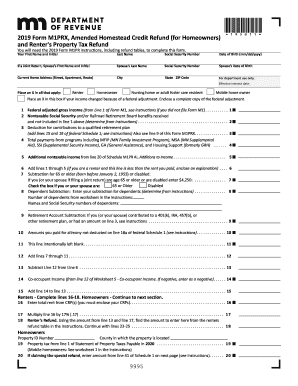
Get Mn Dor M1prx 2019
How it works
-

Open form follow the instructions
-

Easily sign the form with your finger
-

Send filled & signed form or save
How to fill out the MN DoR M1PRX online
This guide provides a clear and supportive overview of how to complete the Minnesota Department of Revenue M1PRX form online. By following these steps, individuals can efficiently navigate the process of amending their Homestead Credit Refund or Renter's Property Tax Refund.
Follow the steps to complete your M1PRX online
- Click ‘Get Form’ button to access the M1PRX online form.
- Fill in personal information, including your first name, last name, Social Security number, and date of birth. If filing jointly, include your spouse's details as well.
- Provide your current home address, including street, apartment (if applicable), city, state, and ZIP code.
- Indicate your status by placing an X in the appropriate boxes for Renter, Homeowner, Nursing home or adult foster care resident, or Mobile home owner.
- If your income changed due to a federal adjustment, check the corresponding box and enclose a complete copy of the federal adjustment.
- Complete the income section by entering your federal adjusted gross income and any applicable deductions and payments as specified in the form.
- If you are a renter, complete lines 16-18 related to your rent payments. If you are a homeowner, continue to the homeowner section.
- For homeowners, fill out the property tax information including your Property ID number and the property tax details.
- Add the required total lines for refunds from both renters and homeowners, ensuring you reference the correct refund tables in the instructions.
- Finalize by signing your return and any necessary documentation from paid preparers before submitting the form.
- After completing the form, save your changes and choose to download, print, or share the form to finalize your submission.
Start filling out your M1PRX online today to process your refund efficiently!
Get form
Experience a faster way to fill out and sign forms on the web. Access the most extensive library of templates available.
You should mail your MN form M1 to the address designated by the Minnesota Department of Revenue. Generally, forms submitted through the MN DoR M1PRX program are sent to the appropriate department for processing. For the most accurate mailing address and to avoid delays, always refer to the mailing instructions provided on the official Minnesota Department of Revenue website.
Get This Form Now!
Use professional pre-built templates to fill in and sign documents online faster. Get access to thousands of forms.