Loading
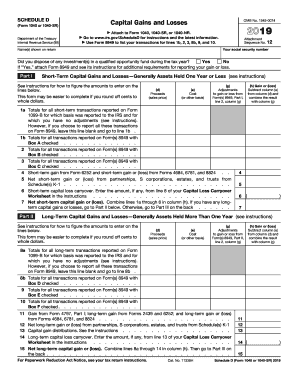
Get Irs 1040 - Schedule D 2019
This website is not affiliated with IRS
How it works
-

Open form follow the instructions
-

Easily sign the form with your finger
-

Send filled & signed form or save
How to fill out the IRS 1040 - Schedule D online
This guide provides clear and straightforward instructions on how to complete the IRS 1040 - Schedule D online. Schedule D is used to report capital gains and losses, making it an essential part of your tax return.
Follow the steps to successfully complete your Schedule D.
- Click the ‘Get Form’ button to access the IRS 1040 - Schedule D document and open it in your preferred editor.
- Begin by entering your social security number at the top of the form, along with the names shown on your tax return. Indicate whether you disposed of any investments in a qualified opportunity fund during the tax year by selecting ‘Yes’ or ‘No.’ If 'Yes,' ensure to attach Form 8949.
- In Part I, report your short-term capital gains and losses. Enter totals as applicable based on transactions reported on Form 1099-B. The form will guide you on whether to leave certain lines blank if reporting elsewhere.
- For each section in Part I, accurately enter the proceeds (sales price), cost, adjustments to gain or loss, and calculate the gain or loss by subtracting the cost from the proceeds.
- Proceed to Part II to report long-term capital gains and losses in a similar manner as in Part I. Follow the same process for entering totals and calculating gains or losses.
- In Part III, summarize your short-term and long-term net amounts. If the total results in a gain, record this on the appropriate line of Form 1040 or 1040-SR. If it's a loss, take the necessary steps detailed on the form.
- Finally, once all sections of Schedule D are completed, review your entries for accuracy. Save your changes, and you can then download, print, or share your completed form as needed.
Complete your IRS 1040 - Schedule D online confidently and ensure you have all necessary documents ready for filing.
Get form
Experience a faster way to fill out and sign forms on the web. Access the most extensive library of templates available.
Related links form
The new 1040 form for seniors is the 1040SR, which was introduced to cater specifically to taxpayers aged 65 and older. This form offers a simplified layout and larger text, making it easier for seniors to navigate their tax information. Utilizing 1040SR can help seniors take advantage of deductions and credits they may qualify for without feeling overwhelmed.
Get This Form Now!
Use professional pre-built templates to fill in and sign documents online faster. Get access to thousands of forms.