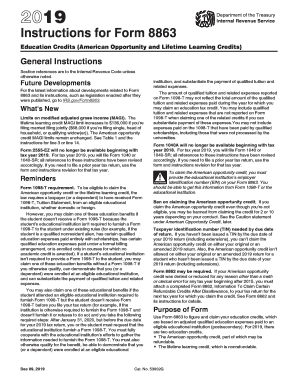
C 11, 2018 institution, and substantiate the payment of qualified tuition and related expenses. The amount of qualified tuition and related expenses reported on Form 1098-T may not reflect the total amount of the qualified tuition and related expenses paid during the year for which you may claim an education tax credit. You may include qualified tuition and related expenses that are not reported on Form 1098-T when claiming one of these education benefits if you can substantiate payment of thes.
Open form follow the instructions
Easily sign the form with your finger
Send filled & signed form or save
How to fill out the IRS Instruction 8863 online
Filling out the IRS Instruction 8863 is an essential step for individuals seeking education credits, including the American Opportunity and Lifetime Learning credits. This guide will provide you with clear, step-by-step instructions to effectively complete the form online.
Follow the steps to successfully complete the IRS Instruction 8863.
- Click ‘Get Form’ button to obtain the form and open it in the editor.
- Review the general instructions provided in the form to ensure eligibility for the education credits. Pay special attention to the modified adjusted gross income limits and the necessity of collecting Form 1098-T from your educational institution.
- Fill in your personal information in Part I including your name, social security number (or TIN), and the educational institution’s name and EIN.
- Proceed to Part II to indicate if you are claiming the nonrefundable Lifetime Learning Credit. Provide the relevant adjusted qualified education expenses for each eligible student. Use line 31 for the total dollar amounts.
- Complete Part III for each student you are claiming credits for. This includes entering their name, TIN, and details regarding their eligibility for the American Opportunity Credit.
- Make sure to enter the adjusted qualified education expenses calculated in the previous steps for both American Opportunity and Lifetime Learning Credits, ensuring not to exceed the limits outlined in the instructions.
- After finishing all the entries, review the completed form for accuracy. Ensure you have filled out the necessary sections completely.
- Save any changes made to the form. You can download, print, or share it as needed once you have verified the information is correct.
Take the next step towards claiming your education credits by filling out the IRS Instruction 8863 online.
Experience a faster way to fill out and sign forms on the web. Access the most extensive library of templates available.
Related content
Oct 31, 2024 — Use Form 8863 to figure and claim your education credits, which are based...
Dec 28, 2022 — Use Form 8863 to figure and claim your education credits, which are based...
Apr 15, 2015 — What's New. Premium tax credit. You may be eligible to claim the premium...
Get answers to your most pressing questions about US Legal Forms API.
Who needs to fill out form 8863?
Form 8863 needs to be filled out by taxpayers who wish to claim the American Opportunity Credit or the Lifetime Learning Credit for higher education expenses. If you or your dependents are pursuing post-secondary education, this form is critical. Using IRS Instruction 8863 can help you understand the requirements, or you can opt for resources like USLegalForms for assistance.
How to get the full $2500 American Opportunity Credit?
To qualify for the full $2,500 American Opportunity Credit, ensure that you meet the requirements set forth in IRS Instruction 8863. Your modified adjusted gross income should be under $80,000 if single, or $160,000 if married filing jointly. Additionally, you must be enrolled at least half-time in a qualified program, so check your eligibility against these criteria to maximize your benefit.
How to access form 8863?
You can access Form 8863 through the official IRS website, where you can download and print it. Additionally, software like TurboTax can provide access to the form as part of their tax filing services. If you're looking for a user-friendly method to navigate these forms, consider the offerings from USLegalForms, which help make the process more straightforward.
Does TurboTax automatically fill out form 8863?
Yes, TurboTax does have features that assist in preparing Form 8863. When you input your education expenses, TurboTax uses IRS Instruction 8863 to guide you through the process and automatically generate the required information on the form. This integration simplifies your tax filing significantly, helping you claim the credits with ease.
Who fills out form 8863?
Form 8863 is typically filled out by taxpayers who are eligible for the American Opportunity Credit or the Lifetime Learning Credit. This form should be completed by individuals who are paying higher education expenses for themselves or their dependents. If you are uncertain about your eligibility, IRS Instruction 8863 can provide guidance, or utilizing platforms like USLegalForms can simplify the process.
Is form 8863 the same as Schedule 3?
Form 8863 is not the same as Schedule 3. Form 8863 is specifically used for claiming the American Opportunity and Lifetime Learning Credits, while Schedule 3 is a form used to report additional credits and payments that do not have a separate form. Using IRS Instruction 8863 correctly is key to ensuring you receive the credits for which you qualify.
What is the income limit for 8863 credit?
The income limit for IRS Instruction 8863 relates to the American Opportunity Tax Credit. To claim the full credit, your modified adjusted gross income must be below $80,000 if single, or $160,000 if married filing jointly. If your income exceeds these limits, the credit will gradually decrease. Understanding these limits can help you optimize your tax benefit.
What is the IRS schedule 8863?
IRS Schedule 8863 is a form used to claim education tax credits, such as the American Opportunity Tax Credit and the Lifetime Learning Credit. It provides a structured format for reporting your educational expenses and determining your eligibility for these credits. Make sure to follow the detailed guidance provided in IRS Instruction 8863 to complete the form accurately. This form plays a critical role in potentially reducing your tax liability.
How do I know if I qualify for an education tax credit?
To determine if you qualify for an education tax credit, assess your educational expenses and income level against IRS guidelines. IRS Instruction 8863 provides clear criteria regarding eligibility for various credits. Take time to review the requirements outlined in the instructions. If you still have questions, platforms like USLegalForms can offer resources and advice to assist you.
What does the IRS consider educational expenses?
The IRS considers educational expenses to include costs such as tuition, fees, and course materials necessary for your education. You can also include expenses related to required equipment and supplies. Be sure to refer to IRS Instruction 8863 for a detailed list of qualifying expenses. Understanding what counts as educational expenses is essential for maximizing your educational tax credits.
Use professional pre-built templates to fill in and sign documents online faster. Get access to thousands of forms.
If you believe that this page should be taken down, please follow our DMCA take down process here.
This form is available in several versions. Select the version you need from the drop-down list below.