Loading
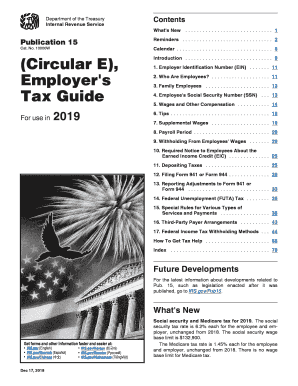
Get Irs Publication 15 2019
This website is not affiliated with IRS
How it works
-

Open form follow the instructions
-

Easily sign the form with your finger
-

Send filled & signed form or save
How to fill out the IRS Publication 15 online
This guide provides comprehensive and user-friendly instructions on how to fill out IRS Publication 15 online. By following this guide, users will navigate through the necessary steps to ensure accurate completion of the form.
Follow the steps to fill out IRS Publication 15 correctly.
- Press the ‘Get Form’ button to obtain the form and open it in the editor.
- Begin with Section 1, which requests the employer identification number (EIN). Make sure this is accurate as it identifies your business.
- Move to Section 2 to identify your employees. Clearly indicate the status of your employees, which may include full-time, part-time or other classifications to ensure proper tax withholding.
- In Section 3, for family employees, if applicable, specify information about them as required.
- Complete Section 4 by entering each employee's Social Security Number (SSN) accurately to avoid penalties.
- In Section 5, detail the wages and other compensation accurately, ensuring to account for overtime, bonuses, etc.
- For Section 6, enter any tips, if applicable, according to what your employees have reported.
- Proceed to Section 7 for supplemental wages, if applicable, and complete accordingly.
- Define your payroll period in Section 8, choosing the method that corresponds to your company's routine.
- In Section 9, indicate any withholding from employees' wages and the respective amounts.
- Make sure to fulfill requirements outlined in Section 10 regarding the notices to employees about the Earned Income Credit (EIC).
- Submit data on depositing taxes in Section 11, being mindful of the deadlines associated.
- By Section 12, file or report using correct forms like Form 941 or Form 944 as appropriate.
- For Section 13, report any adjustments needed, clearly identifying what corrections must be made.
- Complete Section 14, regarding FUTA tax, ensuring it reflects accurate information.
- In Section 15, elaborate on any special rules that pertain to the types of services and payments utilized.
- For Section 16, specify arrangements related to third-party payers if applicable.
- Finally, review each section to ensure accuracy, and upon completion, save changes, download, or print your form as necessary.
Complete your documents online today for accuracy and efficiency.
Get form
Experience a faster way to fill out and sign forms on the web. Access the most extensive library of templates available.
To fill out your tax withholding form accurately, start by obtaining the latest version of IRS Publication 15 as your resource. Gather your personal information, including your filing status and the number of allowances. Follow the directions step by step to ensure all details are correctly entered. Should you find the process challenging, consider using the US Legal Forms platform for additional help and tools.
Get This Form Now!
Use professional pre-built templates to fill in and sign documents online faster. Get access to thousands of forms.