Loading
Form preview
  • US Legal Forms
  • Other Templates
  • Tax Forms
  • Executive Department Treasury IRS Forms
  • Irs Instructions 1099-k 2019

Get Irs Instructions 1099-k 2019

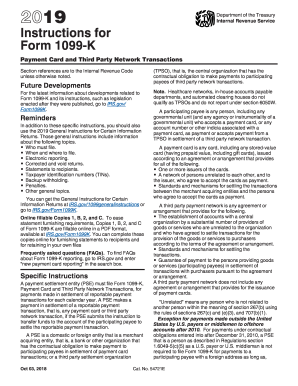
Rwise noted. Future Developments For the latest information about developments related to Form 1099-K and its instructions, such as legislation enacted after they were published, go to IRS.gov/ Form1099K. has the contractual obligation to make payment to participating payees in settlement of payment card transactions; or a third party settlement organization (TPSO), that is, the central organization that has the contractual obligation to make payments to participating payees of third party ne.

This website is not affiliated with IRS

How it works

  1. Open form

    Open form follow the instructions

  2. Easily sign form

    Easily sign the form with your finger

  3. Share form

    Send filled & signed form or save

How to fill out the IRS instructions 1099-K online

Filing IRS Form 1099-K, which reports payment card and third party network transactions, can be a straightforward process when done correctly. This guide provides step-by-step instructions to assist you in completing the form online, ensuring you meet the necessary reporting requirements.

Follow the steps to fill out the IRS Form 1099-K online.

  1. Click 'Get Form' button to obtain the form and open it in the editor.
  2. Fill in the filer’s name, address, telephone number, and TIN in the upper left corner of the form. Ensure that the telephone number allows a payee to reach someone knowledgeable about the payments reported.
  3. In Box 1a, enter the total gross amount of all reportable payment card transactions for the calendar year. This should exclude any adjustments for credits or fees.
  4. For Box 1b, if applicable, enter the total gross amount of transactions where the card was not present, such as online sales.
  5. In Box 2, provide the four-digit merchant category code (MCC) which classifies the payee based on their business type.
  6. Use the Transactions Reported checkboxes to indicate whether you are reporting payment card transactions, third party network transactions, or both.
  7. Complete the account number field if you are filing for multiple accounts for the same payee.
  8. In Box 3, enter the number of payment transactions processed, excluding refunds.
  9. Box 4 is for entering any federal income tax withheld, if applicable.
  10. Complete Boxes 5a through 5l by entering the gross amounts of the payment transactions for each month of the year.
  11. If state information is required, fill out Boxes 6 through 8 with the appropriate state details.
  12. Once all fields are completed accurately, save your changes. You can choose to download, print, or share the form as necessary.

Complete your IRS Form 1099-K online today and ensure your payment transactions are reported accurately.

Get form

Experience a faster way to fill out and sign forms on the web. Access the most extensive library of templates available.

Related content

Instructions for Form 1099-K (Rev. March 2024)
Dec 4, 2023 — Who must file. • When and where to file. • Electronic reporting. •...
Learn more
Accounts Payable - 1099 Reporting - 1099-K
Form 1099-K, Payment Card and Third Party Network Transactions, is a form issued by Rowan...
Learn more
2011 - Instructions for Form 1120S
Jan 31, 2012 — instructions for Schedules K and K-1,. A change to the ... 1099-K...
Learn more

Related links form

Walkenhorst’s Order Form Water and Force Main Pressure Test Report (PVC Pipe) 2015 Whittier PONY Baseball Hit-a-Thon Pledge 2016 WLTX 19 Teacher of the Week Nomination Form

Questions & Answers

Get answers to your most pressing questions about US Legal Forms API.

Contact support

To report 1099-K on your tax return, include the reported income on your Schedule C if you are self-employed. Always consult IRS Instructions 1099-K for detailed guidance on accurately reporting this income. Proper reporting ensures compliance while optimizing your tax outcomes. Consider using US Legal Forms for comprehensive support in managing your tax obligations.

You should report 1099-K amounts on your tax return as part of your total income. Be sure to check the IRS Instructions 1099-K for specific reporting requirements related to your situation. Properly reporting this income is vital to avoid potential penalties. Tools available on US Legal Forms can help you complete your tax return accurately.

Entering your 1099-K in TurboTax can be done in the 'Other Income' section. You should consult the IRS Instructions 1099-K to capture all pertinent information accurately. Each piece of information is vital for a complete and accurate tax return. US Legal Forms can assist you with guidance on ensuring everything is reported properly.

You can enter your 1099-K in the 'Income' section under 'Other Income' in TurboTax. Following the IRS Instructions 1099-K will ensure you report this income correctly. Be mindful of all details and figures to avoid issues with the IRS. US Legal Forms offers tools that can simplify this important task.

In TurboTax, you can enter self-employment expenses under the section for 'Business Income and Expenses.' The IRS Instructions 1099-K can guide you on what qualifies as deductible expenses. Keeping track of these expenses is crucial for lowering your taxable income. US Legal Forms provides excellent resources to help you organize your financial information effectively.

Yes, a 1099-K counts as earned income, as it reports the income received through payment cards and third-party networks. This is important when you calculate your gross income for tax purposes. To ensure compliance, follow the IRS Instructions 1099-K carefully. Having the right tools, like those from US Legal Forms, can streamline this reporting process.

The filing requirement for 1099-K generally applies if you received over $20,000 in payments and had more than 200 transactions during the year. It's crucial to refer to the IRS Instructions 1099-K to understand the specific guidelines. Filing can be complex, and knowing these requirements will help you avoid penalties. Consider using US Legal Forms for comprehensive assistance in tax filing.

To report K-1 income on TurboTax, you need to enter the income directly in the designated section for partnership or S corporation income. Follow the IRS Instructions 1099-K to ensure you provide accurate details. It's essential to verify all entries for accuracy, as K-1 income can affect your overall tax outcome. US Legal Forms can help you navigate this process effectively.

The new rules for 1099 reporting have raised thresholds and introduced new reporting requirements. These changes often focus on simplifying reporting while increasing transparency. Staying informed and consulting the IRS Instructions 1099-K can help you adapt to these evolving regulations effectively.

Generally, there is no minimum amount you can earn on a 1099 before you must claim it. The IRS expects you to report all income regardless of the amount. The IRS Instructions 1099-K indicate the importance of reporting earnings accurately to avoid misunderstandings with tax authorities.

Get This Form Now!

Use professional pre-built templates to fill in and sign documents online faster. Get access to thousands of forms.
If you believe that this page should be taken down, please follow our DMCA take down processhere.
Get IRS Instructions 1099-K
  • Adoption
  • Bankruptcy
  • Contractors
  • Divorce
  • Home Sales
  • Employment
  • Identity Theft
  • Incorporation
  • Landlord Tenant
  • Living Trust
  • Name Change
  • Personal Planning
  • Small Business
  • Wills & Estates
  • Packages A-Z
  • Affidavits
  • Bankruptcy
  • Bill of Sale
  • Corporate - LLC
  • Divorce
  • Employment
  • Identity Theft
  • Internet Technology
  • Landlord Tenant
  • Living Wills
  • Name Change
  • Power of Attorney
  • Real Estate
  • Small Estates
  • Wills
  • All Forms
  • Forms A-Z
  • Other Templates
  • Legal Hub
  • About Us
  • Help Portal
  • Legal Resources
  • Blog
  • Affiliates
  • Contact Us
  • Delete My Account
  • Site Map
  • Industries
  • Forms in Spanish
  • Localized Forms
  • State-specific Forms
  • Forms Kit
  • Real Estate Handbook
  • All Guides
  • Notarize
  • Incorporation services
  • For Consumers
  • For Small Business
  • For Attorneys
  • USLegal
  • FormsPass
  • pdfFiller
  • signNow
  • altaFlow
  • DocHub
  • Instapage
Form Packages
  • Adoption
  • Bankruptcy
  • Contractors
  • Divorce
  • Home Sales
  • Employment
  • Identity Theft
  • Incorporation
  • Landlord Tenant
  • Living Trust
  • Name Change
  • Personal Planning
  • Small Business
  • Wills & Estates
  • Packages A-Z
Form Categories
  • Affidavits
  • Bankruptcy
  • Bill of Sale
  • Corporate - LLC
  • Divorce
  • Employment
  • Identity Theft
  • Internet Technology
  • Landlord Tenant
  • Living Wills
  • Name Change
  • Power of Attorney
  • Real Estate
  • Small Estates
  • Wills
  • All Forms
  • Forms A-Z
  • Other Templates
Customer Service
  • Legal Hub
  • About Us
  • Help Portal
  • Legal Resources
  • Blog
  • Affiliates
  • Contact Us
  • Delete My Account
  • Site Map
  • Industries
  • Forms in Spanish
  • Localized Forms
  • State-specific Forms
  • Forms Kit
Legal Guides
  • Real Estate Handbook
  • All Guides
Prepared for you
  • Notarize
  • Incorporation services
Our Customers
  • For Consumers
  • For Small Business
  • For Attorneys
Our Sites
  • USLegal
  • FormsPass
  • pdfFiller
  • signNow
  • altaFlow
  • DocHub
  • Instapage
Social Media
Call us now toll free:
+1 833 426 79 33
As seen in:
© Copyright 1999-2026 airSlate Legal Forms, Inc. 17 Station Street, Ste. 203, Brookline, MA 02445
  • Your Privacy Choices
  • Terms of Service
  • Privacy Notice
  • Content Takedown Policy
  • Bug Bounty Program
IRS Instructions 1099-K
This form is available in several versions.
Select the version you need from the drop-down list below.
2021 IRS Instructions 1099-K
Select form
  • 2021 IRS Instructions 1099-K
  • 2020 IRS Instructions 1099-K
  • 2019 IRS Instructions 1099-K
  • 2018 IRS Instructions 1099-K
  • 2017 IRS Instructions 1099-K
  • 2016 IRS Instructions 1099-K
  • 2015 IRS Instructions 1099-K
  • 2012 IRS Instructions 1099-K
  • 2011 IRS Instructions 1099-K
Select form