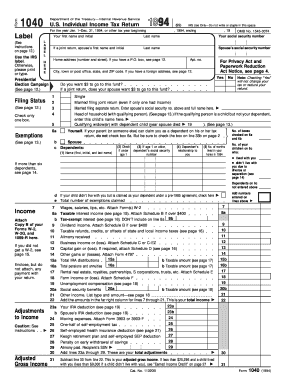
Get Irs 1040 1994
How it works
-

Open form follow the instructions
-

Easily sign the form with your finger
-

Send filled & signed form or save
How to fill out the IRS 1040 online
Filling out the IRS 1040 form online can be a straightforward process when you understand each section and field. This guide is designed to walk you through the essential steps to accurately complete your U.S. Individual Income Tax Return, ensuring you have the necessary information at hand.
Follow the steps to complete your IRS 1040 form online.
- Use the ‘Get Form’ button to obtain the IRS 1040 form and access it in your online editor.
- Enter your first name, middle initial, and last name in the designated fields. If applicable, type your spouse’s first name and last name next to the appropriate labels.
- Provide your Social Security number and, if applicable, your spouse’s Social Security number. This information is critical for identity verification.
- Fill in your home address, ensuring to include your apartment number, city, state, and ZIP code.
- Select your filing status by checking the relevant box. Options include 'Single,' 'Married filing joint,' 'Married filing separate,' 'Head of household,' and 'Qualifying widow(er).' Ensure you check only one box.
- Report your exemptions by checking the box for yourself and your spouse if applicable. Then, fill out the information for your dependents if you have any, including their names, Social Security numbers, and relationships to you.
- Enter your income information by completing the income sections, including wages, interest, dividends, and any other taxable income. Attach any required documentation, such as W-2 forms.
- Calculate your adjusted gross income by following the steps outlined in the form, including any adjustments to income such as IRA deductions or alimony paid.
- Determine your taxable income by subtracting your deductions from your adjusted gross income. Check for any applicable credits available to you.
- Complete the tax computation section using the appropriate tax tables or rates. Enter any additional taxes owed and subtract any credits to calculate your total tax.
- Fill out the section detailing your payments and withholdings. Ensure to account for any estimated tax payments made or amounts withheld from your wages.
- Determine whether you are owed a refund or have a balance due by following the instructions for calculations. If you have overpaid, indicate the amount you wish to be refunded.
- Sign and date the form. If you are filing a joint return, your spouse must also sign. This is a legal requirement.
- Once all fields are completed and reviewed, save your changes. You can then download, print, or share your completed IRS 1040 form as needed.
Start filling out your IRS 1040 form online today and ensure your tax filing is completed accurately and efficiently.
Get form
Related links form
The choice between claiming yourself or putting 0 on your taxes impacts your refund or amount owed. Claiming yourself generally allows for more deductions and credits, which can lead to a better tax outcome. Consulting resources like US Legal Forms can provide insights tailored to your financial situation and help you make an informed decision.