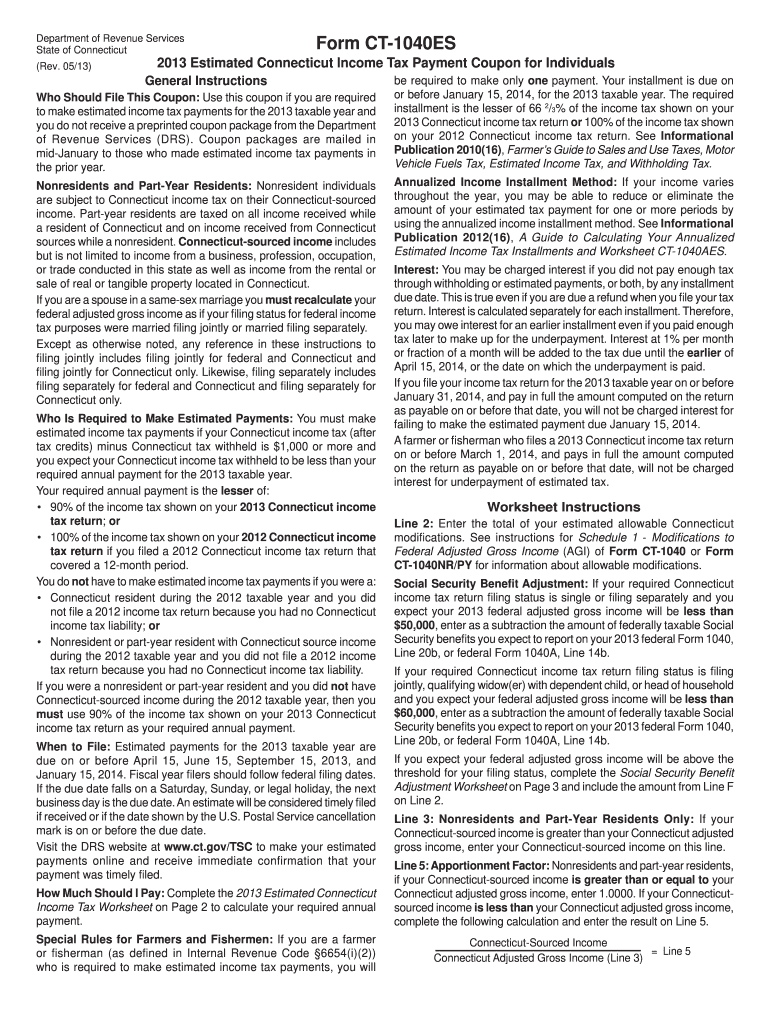
Estimate will be considered timely led if received or if the date shown by the U.S. Postal Service cancellation mark is on or before the due date. Visit the DRS website at www.ct.gov/TSC to make your estimated payments online and receive immediate confirmation that your payment was timely led. How Much Should I Pay: Complete the 2013 Estimated Connecticut Income Tax Worksheet on Page 2 to calculate your required annual payment. Special Rules for Farmers and Fishermen: If you are a farmer o.
Loading

Open form follow the instructions

Easily sign the form with your finger

Send filled & signed form or save
How to fill out the CT DRS CT-1040ES online
This guide provides a clear and supportive approach to filling out the CT DRS CT-1040ES form online. By following these steps, you will be able to complete your estimated income tax payment coupon efficiently and accurately.
Follow the steps to complete the CT DRS CT-1040ES online.
- Press the ‘Get Form’ button to acquire the CT DRS CT-1040ES form and open it in the required software.
- Begin by entering your Social Security Number in the designated field. If you are filing jointly, include your partner's Social Security Number as well.
- Provide your first name, middle initial, and last name along with those of your partner, if applicable.
- Indicate the payment amount you wish to apply towards your estimated tax and ensure it is reflected in Line 1.
- Fill in your mailing address, including number and street, apartment number (if applicable), city, state, and ZIP code.
- Review all entered information for accuracy and ensure it is clear and legible.
- Once the form is completed, you can save changes, download the form for your records, print it out, or share it as needed.
Start completing your CT DRS CT-1040ES form online today to ensure timely submission.
Experience a faster way to fill out and sign forms on the web. Access the most extensive library of templates available.
Related content
CT-1040EFW, Connecticut Electronic Withdrawal Payment Record, 12/2022. CT-1040ES, 2025...
The CT DRS provides methods to pay quarterly estimated taxes: You may pay by check and...
brought you a catalog that reflects the compre- hensive research we've put into providing...
Get answers to your most pressing questions about US Legal Forms API.
Where to mail a CT 1040 tax return?
You should mail your CT 1040 tax return to the address specified in the instructions for the CT DRS CT-1040ES form. Make sure you send it to the correct location to avoid delays in processing. Double-check that you include all required documents. Tools and services like uslegalforms can ensure you have the right information.
How do I file an amended CT tax return?
To file an amended CT tax return, you can use the CT DRS CT-1040ES form. First, gather all necessary documents and accurately complete the form. Then, you may choose to e-file for convenience or mail it to the appropriate address. Using resources like uslegalforms can simplify this process and provide assistance with the required steps.
Can CT 1040X be filed electronically?
Yes, CT 1040X can be filed electronically with the help of the CT DRS CT-1040ES. Electronic filing ensures faster processing and minimizes errors in your amendment. Utilizing e-filing services can help streamline this necessary step. Platforms like uslegalforms are equipped to assist you in this process.
Can I submit 1040X online?
You can submit the 1040X online through certain e-filing services. The CT DRS CT-1040ES form supports electronic amendments, making it easy to correct your tax filings. This method not only saves time but also provides confirmation of your submission. Look for platforms like uslegalforms that facilitate online submissions efficiently.
Can you e-file an amended CT return?
You can e-file an amended CT return using the CT DRS CT-1040ES. This option simplifies the filing of corrections to your original tax return. By e-filing, you can reduce the chances of errors and speed up processing. Many tax solutions, including uslegalforms, support this feature for your convenience.
Where do I file CT 1040 ext?
You should file CT 1040 extension forms at the Connecticut Department of Revenue Services. The CT DRS CT-1040ES form can be submitted online or mailed to the designated address provided on the form. Filing your extension ensures you have more time to gather your documents. Using services like uslegalforms can help guide you through the submission.
Can you e-file CT-1040X?
Yes, you can e-file CT-1040X. The Connecticut Department of Revenue Services allows for the electronic filing of amended returns through the CT DRS CT-1040ES form. This option is convenient and helps ensure your amended return is processed quickly. Many tax software platforms, including uslegalforms, offer features that simplify this process.
Who must file CT 1040?
Any Connecticut resident who has earned income or received certain types of income must file a CT 1040. This includes individuals with wages, self-employment income, or investment returns. Even those earning below the taxable threshold may choose to file to claim refunds or credits. For assistance in filing your CT 1040, check out resources available on uslegalforms.
What is a CT 1040?
A CT 1040 is the state tax form used by Connecticut residents to file their state income tax returns. It assesses taxable income and outlines the tax liabilities owed to the state. Filing your CT 1040 accurately and on time can prevent unnecessary penalties. You can find useful templates and guidance for the CT 1040 using uslegalforms.
What is a 1040 used for?
The 1040 form is primarily used for filing individual income tax returns in the United States. It helps document your income, deductions, and credits, ultimately determining your tax liability. The Connecticut 1040, specifically, is important for reporting state income tax obligations. Utilizing compatible online platforms like uslegalforms can streamline the completion and submission of your 1040.
Use professional pre-built templates to fill in and sign documents online faster. Get access to thousands of forms.
If you believe that this page should be taken down, please follow our DMCA take down process here.
This form is available in several versions. Select the version you need from the drop-down list below.