Get Ak Civ-751 2006-2026
How it works
-

Open form follow the instructions
-

Easily sign the form with your finger
-

Send filled & signed form or save
How to fill out the AK CIV-751 online
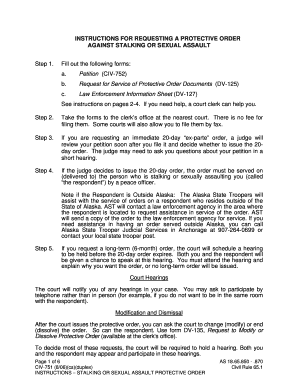
The AK CIV-751 form is essential for individuals seeking a protective order against stalking or sexual assault. This guide provides a clear and comprehensive overview of how to complete the form online, ensuring that your needs are met effectively.
Follow the steps to accurately complete the AK CIV-751 form
- Press the ‘Get Form’ button to access and open the form online in your preferred editing tool.
- Begin filling out the top section of the form, including details such as your legal name and date of birth, as well as the respondent’s information. Make sure to print clearly using black ink.
- In section 1, indicate whether you are requesting a 20-day 'ex parte' order, a long-term order, or both. Be precise in selecting the appropriate option and explain any notifications made to the respondent regarding your petition.
- Section 2 requires you to describe your relationship or how you know the respondent, if applicable.
- In sections 3 and 4, check the boxes that specifically relate to your situation and provide any additional relevant information.
- Section 5(a) requires you to select what you are afraid of, followed by a detailed explanation in section 5(b).
Complete your documents online to ensure your protective order request is processed efficiently.
Filing a civil lawsuit in Alaska starts with gathering essential information and documentation relevant to your case. You need to complete the appropriate forms, such as the AK CIV-751, which outlines the details of your claim. Once you have the necessary documents, you can file them with the district court in your area. Using platforms like USLegalForms can streamline this process, ensuring you have the correct forms and guidance to complete your filing efficiently.