Get Ca Wg-025 2007-2026
How it works
-

Open form follow the instructions
-

Easily sign the form with your finger
-

Send filled & signed form or save
How to fill out the CA WG-025 online
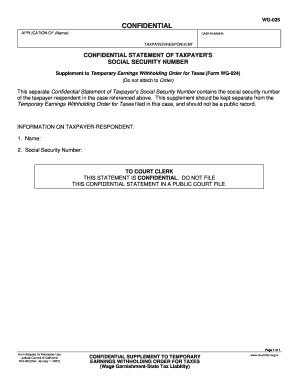
The CA WG-025 form is a confidential application that provides essential details related to the taxpayer's social security number in connection with a Temporary Earnings Withholding Order for Taxes. This guide will walk you through the necessary steps to accurately fill out the form online while ensuring your information remains secure.
Follow the steps to complete the CA WG-025 form online.
- Press the ‘Get Form’ button to obtain the CA WG-025 form and open it in your browser’s editor.
- In the section labeled 'Name', enter the full name of the taxpayer or respondent as required.
- In the 'Social Security Number' field, carefully input the taxpayer’s social security number, ensuring accuracy to maintain confidentiality.
- Review the completed form to verify that all information is correctly entered and that there are no errors.
- Once you have confirmed that the information is accurate, proceed to print the form for your records and submission.
- For your protection and privacy, after printing, press the 'Clear This Form' button to remove your information from the browser.
- You now have the option to save changes made to the form, download it for future reference, or share it as needed.
Start completing your CA WG-025 form online today to ensure your information is protected.
Filling out a wage garnishment exemption involves completing the CA WG-025 form accurately. Provide all requested information regarding your income, family size, and any expenses that could warrant an exemption. Taking the time to fill out this form carefully increases the chances of successfully obtaining an exemption from garnishment.