Loading
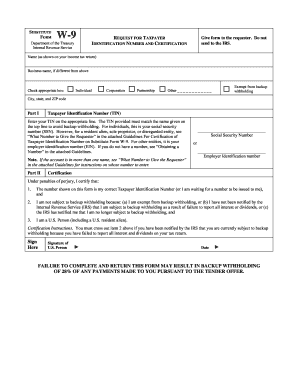
Get Irs Substitute W-9 Form
How it works
-

Open form follow the instructions
-

Easily sign the form with your finger
-

Send filled & signed form or save
How to fill out the IRS Substitute W-9 Form online
Filling out the IRS Substitute W-9 Form online is an essential task for individuals and entities that need to provide their taxpayer identification information for reporting purposes. This guide will walk you through each step to ensure accurate completion of the form.
Follow the steps to complete the IRS Substitute W-9 Form online:
- Click ‘Get Form’ button to obtain the form and open it in the editor.
- Enter your name exactly as it appears on your income tax return in the designated field.
- If your business name differs from your personal name, input it in the provided space.
- Select the correct box that applies to your status: Individual, Corporation, Partnership, Exempt from backup withholding, or Other.
- Fill in your city, state, and ZIP code in the appropriate fields.
- In Part I, enter your Taxpayer Identification Number (TIN). For individuals, this is your Social Security Number (SSN). If you are a resident alien or sole proprietor, ensure the correct number is entered.
- In Part II, based on your situation, provide your Social Security Number or Employer Identification Number as needed.
- Read and certify the statements under Certification. Make sure all information is accurate. If applicable, cross out item 2 if you have been notified by the IRS regarding backup withholding.
- Sign the form by providing your signature and the date, confirming that the information provided is correct.
- Once completed, save your changes and choose to download, print, or share the form as necessary.
Complete your IRS Substitute W-9 Form online today to ensure compliance and accuracy.
Certain entities like corporations, governments, and tax-exempt organizations may be exempt from providing a W9. However, most self-employed individuals and freelancers will need to fill out this form to receive payment. If you're looking for a quick way to handle these requirements, consider using the IRS Substitute W-9 Form through resources like USLegalForms.