Loading
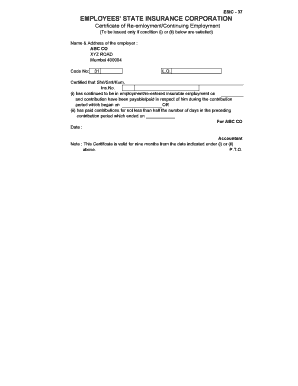
Get Esic Form 37
How it works
-

Open form follow the instructions
-

Easily sign the form with your finger
-

Send filled & signed form or save
How to fill out the Esic Form 37 online
Filling out the Esic Form 37 is an essential process for individuals seeking certification of re-employment or continuing employment. This user-friendly guide provides step-by-step instructions to help you complete the form accurately online.
Follow the steps to complete the Esic Form 37 with ease.
- Click the ‘Get Form’ button to access the Esic Form 37 in the online editor.
- Begin by entering the name and address of the employer in the specified section.
- Input the code number for the employer as required.
- In the provided field, certify the individual's name (Shri/Smt/Kum.) and their insurance number.
- Select condition (i) or (ii) to indicate the individual's employment status, including the relevant dates and contribution details.
- After filling out the necessary data, ensure accuracy and completeness in all sections.
- Upon completion, you can save changes to the form, download a copy for personal records, print it for submission, or share it as needed.
Complete your Esic Form 37 online for quick and efficient processing.
Ohio tax forms can be easily found on the Ohio Department of Taxation's official website. Alternatively, platforms like UsLegalForms provide access to state-specific tax forms, including those needed for Ohio. Using these resources ensures that you have the current and correct forms for your tax filing.