Loading
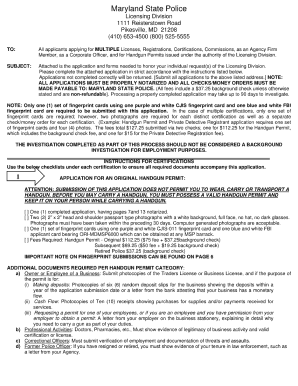
Get Maryland State Police Licensing Division 2020-2026
How it works
-

Open form follow the instructions
-

Easily sign the form with your finger
-

Send filled & signed form or save
How to fill out the Maryland State Police Licensing Division online
Filling out the Maryland State Police Licensing Division form online can simplify the application process. This guide provides clear, step-by-step instructions to ensure you complete the form accurately and efficiently.
Follow the steps to complete the Maryland State Police Licensing Division form online.
- Click ‘Get Form’ button to obtain the form and open it in the editor.
- Begin by filling out your personal information, such as your full name, address, and contact details. Ensure that all entries are accurate to avoid any processing delays.
- Next, provide any required background information. This may include details about previous licenses, any criminal history, or reasons for applying. Be honest and thorough in your responses.
- In the next section, review the disclosures and agreements. It is important to read these carefully to understand your responsibilities and rights as an applicant.
- Once all fields are filled out, review your information for any errors or omissions. Make necessary corrections to ensure your form is complete.
- Finally, save changes to your form. You may have the option to download, print, or share the form after completion. Choose the method that best suits your needs.
Complete your Maryland State Police Licensing Division form online today to ensure a smooth application process.
Portal Support We are available via email at: msp.firearmsregistration@maryland.gov, or msp.handgunpermits@maryland.gov, and via phone at: 410-653-4500.