Get Za Sars Da 185
How it works
-

Open form follow the instructions
-

Easily sign the form with your finger
-

Send filled & signed form or save
How to fill out the ZA SARS DA 185 online
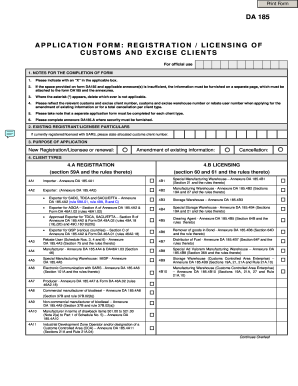
Completing the ZA SARS DA 185 form is a crucial step for users looking to register or amend their customs and excise licensing information. This guide provides a straightforward approach to help users navigate the online completion of this important application form.
Follow the steps to successfully complete the ZA SARS DA 185.
- Press the ‘Get Form’ button to access the ZA SARS DA 185 application form online.
- In the first section, provide your existing registrant or licensee particulars if you are currently registered with SARS, including your allocated customs client number.
- Indicate the purpose of your application by selecting one of the options: 'New Registration/Licensee or renewal,' 'Amendment of existing information,' or 'Cancellation.'
- Choose your client type from the options provided in section 4, such as 'Importer,' 'Exporter,' or 'Clearing Agent.' Ensure you attach the appropriate annexures as needed.
- In the business or person particulars section, fill in the registered name, address details, contact information, and business type.
- Provide the registration particulars required, including your VAT Registration Number, PAYE Number, and other relevant identification numbers.
- Include the contact person’s details, such as their surname, first name, telephone number, and email address.
- If applicable, complete the section on the accountant's details, providing the accountant's name and contact information.
- Respond to questions regarding contraventions or other matters, ensuring to provide detailed information if any responses are 'Yes.'
- Finalize your application by signing and dating the declaration, confirming that all provided information is true and correct.
- Once completed, save your changes and proceed to download, print, or share the submitted DA 185 form.
Start filling out your ZA SARS DA 185 online today to ensure your customs and excise licensing is properly registered!
To find your customs code, you can start by visiting the ZA SARS DA 185 website, which provides essential information regarding customs regulations. You’ll need to gather details about the goods you are importing or exporting. By using the search tool on the site, you can quickly locate your specific customs code, ensuring compliance with South African customs requirements. Additionally, platforms like USLegalForms can assist you in understanding the entire process, making it easier to navigate customs codes effectively.