Loading
Get Canada Nr5 E 2018-2026
How it works
-

Open form follow the instructions
-

Easily sign the form with your finger
-

Send filled & signed form or save
How to fill out the Canada NR5 E online
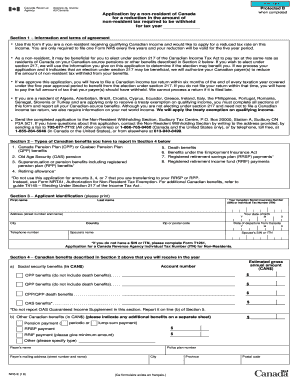
The Canada NR5 E form allows non-residents to apply for a reduction in the amount of non-resident tax required to be withheld from qualifying Canadian income. This guide provides clear, step-by-step instructions for completing the form effectively online.
Follow the steps to successfully complete the Canada NR5 E form.
- Press the ‘Get Form’ button to access the Canada NR5 E form and open it in your editing platform.
- Begin with Section 1, where you should read the information and terms of agreement carefully. This section outlines the purpose of the form and the criteria for application, including the five-year approval validity.
- Proceed to Section 2, which lists the types of Canadian benefits you may need to report. Carefully check all applicable benefits you have received or will receive.
- Fill in Section 3 with your personal identification details. Include your last name, first name, Social Insurance Number (SIN) or Individual Tax Number (ITN), address, date of birth, and telephone number.
- In Section 4, report all Canadian benefits you expect to receive in the year. This includes pensions, CPP/QPP benefits, and any other relevant income. Record the estimated gross annual amount for each benefit.
- Move to Section 5 for net world income information. Provide details of any Canadian-source income and any expected income from outside Canada. Indicate the estimated amounts according to the instructions.
- Continue to Section 6, where you will answer questions regarding your non-refundable tax credit information. Respond appropriately based on your marital status and support obligations.
- Complete Section 7 if applicable, providing dependent information if you support anyone as per the guidelines.
- Finally, in Section 8, certify that the information provided is correct by signing and dating the form. Ensure that if you are signing on behalf of someone else, a power of attorney document is included.
- Once completed, save your changes, then download or print the Canada NR5 E form for submission.
Submit your completed Canada NR5 E form online to ensure you receive the tax reduction you are entitled to.
The NR5 form for Canada is critical for determining residency status for tax implications. It assists individuals in declaring their non-residency status, which can significantly affect tax obligations. Completing the NR5 can help ease cross-border tax issues. For assistance, uslegalforms offers tools and guidance for completing this vital form effectively.