We use cookies to improve security, personalize the user experience, enhance our marketing activities (including cooperating with our marketing partners) and for other business use.
Click "here" to read our Cookie Policy. By clicking "Accept" you agree to the use of cookies. Read less
Read more
Accept
Loading
Form preview
  • US Legal Forms
  • Form Library
  • RMV Forms
  • Florida RMV Forms
  • Fl Hsmv 85901 2014

Get Fl Hsmv 85901 2014-2025

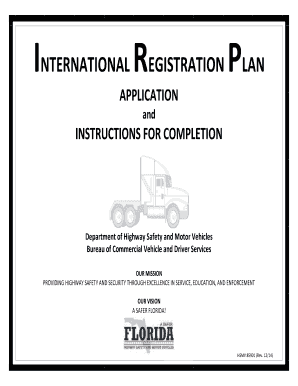
AY SAFETY AND SECURITY THROUGH EXCELLENCE IN SERVICE, EDUCATION, AND ENFORCEMENT OUR VISION A SAFER FLORIDA! 1 HSMV 85901 (Rev. 12/14) WHEN COMPLETING THE IRP APPLICATION PLEASE TYPE OR PRINT LEGIBLY IN INK SCHEDULE A 1. NAME OF REGISTRANT – Enter the applicant’s full name or the name under which the applicant will conduct business. EXAMPLES: John J. Doe (applicant’s full name); or Ace Trucking Company (business name) ADDITIONAL INFORMATION REGARDING NAME OF REGISTRANT: If the applica.

How it works

  1. Open form

    Open form follow the instructions

  2. Easily sign form

    Easily sign the form with your finger

  3. Share form

    Send filled & signed form or save

How to fill out the FL HSMV 85901 online

Filling out the FL HSMV 85901 form online involves multiple steps and attention to detail. This guide provides comprehensive instructions to assist users in completing the International Registration Plan application accurately and efficiently.

Follow the steps to complete the FL HSMV 85901 application form online.

  1. Click ‘Get Form’ button to access the FL HSMV 85901 form and open it in the editor.
  2. Begin with Schedule A by entering the name of the registrant. This could be the applicant's full name or the business name under which they operate.
  3. Provide the Florida business address where the registrant maintains operational records. Ensure this address is not a P.O. Box.
  4. Fill in the mailing address, which is where correspondence regarding the application will be sent if different from the business address.
  5. Designate a contact person for any inquiries regarding this application by entering their full name.
  6. Input an email address to receive electronic communications from the Department.
  7. If applicable, check the box for any changes to the business address, mailing address, or telephone number from previous applications.
  8. Enter the registrant's telephone number, including the area code.
  9. Select the type of application by checking the appropriate box for original, renewal, or supplemental applications.
  10. Indicate the type of operation by checking the corresponding box that aligns with the registrant's business activities.
  11. Provide your U.S. DOT number if registered as a motor carrier operating under your own authority.
  12. Enter the applicant's Federal Employer Identification Number (FEI #). This is necessary for referencing your International Fuel Tax Agreement account.
  13. Note that the IRP account number will be assigned post-processing by the Bureau of Commercial Vehicle and Driver Services.
  14. Specify the fleet number if you are registering one or more vehicles under the same company name. Each fleet should be submitted on a separate form.
  15. Fill in the license year by entering the last two digits of the year for which the IRP registration is valid.
  16. Select the transaction type relevant to your application — original, renewal, or supplemental, and provide necessary details based on the choice.
  17. Enter the owner’s unit number which must be unique and not duplicated.
  18. Document the model year of each vehicle as per the title documentation.
  19. Input the make of the vehicle, using the abbreviations found on the vehicle's Certificate of Title.
  20. Enter the vehicle identification number (VIN) for each vehicle being registered.
  21. Specify the type of vehicle using the codes provided in the Vehicle Types section.
  22. Indicate the total number of axles for both power units and trailers, if applicable.
  23. If registering a bus, enter the rated seating capacity.
  24. Select the type of fuel used in the power unit according to the guidelines provided.
  25. Complete the section regarding Colorado Low Miles if relevant to your situation.
  26. Input the primary color of the power unit.
  27. Enter the maximum gross weight or combined gross weight of the vehicle as applicable.
  28. Indicate the unladen weight of the vehicle as required.
  29. Document the date of purchase for the vehicle in the required format.
  30. Provide the Florida Certificate of Title number associated with the vehicle.
  31. List the USDOT number assigned to the vehicle.
  32. Provide the taxpayer identification number corresponding to the USDOT number.
  33. Answer if there will be a designated carrier responsible for safety change during the year.
  34. If applicable, enter the name of the carrier service provider.
  35. Review the checklist and ensure that you have signed the application and included all required documents.
  36. Proceed to Schedule B and report the actual mileage traveled during the previous year as required.
  37. Indicate whether you will be operating intrastate in Wyoming.
  38. Compile the actual miles traveled and total them for the reporting period.
  39. Enter the gross vehicle weight for each jurisdiction as necessary.
  40. Ensure the printed name, signature, title, and date are included on the application.
  41. For original applications, answer the required questions regarding your application status.
  42. Final review: double-check all information for accuracy before submitting your application.

Complete the FL HSMV 85901 application online now for efficient processing of your registration.

Get form

Experience a faster way to fill out and sign forms on the web. Access the most extensive library of templates available.
Get form

Related content

INTERNATIONAL REGISTRATION PLAN
A SAFER FLORIDA! HSMV 85901 (Rev. 12/2017). Page 2. WHEN COMPLETING THE IRP APPLICATION...
Learn more

Related links form

Police Ride Along Application Pharmacy Council Signature Left Thumb Impression Across This Photo Florida Irp Application

Questions & Answers

Get answers to your most pressing questions about US Legal Forms API.

Contact support

The IRP account number is a unique identifier assigned to commercial motor vehicle operators who are registered under the International Registration Plan. This number helps track the registration and compliance for interstate travel. If you have more questions about obtaining or managing your IRP account, refer to the resources available in the FL HSMV 85901 for additional assistance.

To submit Form HSMV 82050, first ensure that it is completed accurately. Once you have filled it out, you can submit the form by bringing it to your local tax collector's office or mailing it to the appropriate address. Keep in mind that following the instructions in the FL HSMV 85901 can help you navigate this submission process more efficiently.

Yes, Florida law requires sellers to file Form HSMV 82050 when transferring a vehicle title. This form serves as a notice of the sale, which helps protect both the seller and the buyer. Always make sure you follow the guidelines outlined in the FL HSMV 85901 to ensure compliance while completing this important document.

To fill out a private sale title in Florida, start by locating the title certificate issued by the Florida Department of Highway Safety and Motor Vehicles (HSMV). You will need to complete the assignment of ownership section, ensuring you include the required information such as the buyer's name, address, and the odometer reading. Be aware that all sellers must also sign the title. If you are unsure, consider consulting the FL HSMV 85901 form for guidance.

Filling out Florida Form HSMV 82040 requires you to enter details such as vehicle description, the owner’s information, and the purpose of the form. Be sure to provide accurate VIN and odometer information. After completing the form, submit it to your local county tax collector's office. For additional resources, US Legal Forms offers guidance tailored to handle FL HSMV 85901 effectively.

Filling out a certificate of title in Florida requires you to provide the vehicle's make, model, year, and VIN. Additionally, include details of the previous and new owners, along with their signatures. Don’t forget to check for any liens on the title before submitting. For easy access to the forms and instructions, refer to US Legal Forms that provide resources based on FL HSMV 85901.

Filing Form HSMV 82050 involves completing the application for a duplicate title or to replace a lost title. Start by providing the necessary vehicle information, including the VIN and details about the vehicle's previous title. After filling out the form, submit it to your local tax collector's office along with the required fees. For assistance and templates, consider using resources from US Legal Forms that reference FL HSMV 85901.

Filling out Florida Form 82040 is straightforward when following the FL HSMV 85901 guidelines. Begin by providing your personal information, including name and address. Next, include the vehicle details and specify the nature of the application. After completing the form, review it carefully before submission to ensure accuracy and completeness.

When filling out a Florida title, use the FL HSMV 85901 form to guide you. Accurately input the vehicle's VIN, odometer reading, and both the seller's and buyer's details. Make sure to check for any specific transfer instructions on the title itself. Proper completion will aid in a smooth transfer process and help avoid any issues with registration.

Filling out the boat title transfer in Florida involves using the FL HSMV 85901 form to provide essential details. Begin by entering the previous owner's information followed by the new owner's information. Remember to include the boat's hull identification number and any other relevant details. Once completed, submit the form along with the title to the appropriate authority.

Get This Form Now!

Use professional pre-built templates to fill in and sign documents online faster. Get access to thousands of forms.
Get form
If you believe that this page should be taken down, please follow our DMCA take down processhere.

Industry-leading security and compliance

US Legal Forms protects your data by complying with industry-specific security standards.
  • In businnes since 1997
    25+ years providing professional legal documents.
  • Accredited business
    Guarantees that a business meets BBB accreditation standards in the US and Canada.
  • Secured by Braintree
    Validated Level 1 PCI DSS compliant payment gateway that accepts most major credit and debit card brands from across the globe.
Get FL HSMV 85901
Get form
Form Packages
Adoption
Bankruptcy
Contractors
Divorce
Home Sales
Employment
Identity Theft
Incorporation
Landlord Tenant
Living Trust
Name Change
Personal Planning
Small Business
Wills & Estates
Packages A-Z
Form Categories
Affidavits
Bankruptcy
Bill of Sale
Corporate - LLC
Divorce
Employment
Identity Theft
Internet Technology
Landlord Tenant
Living Wills
Name Change
Power of Attorney
Real Estate
Small Estates
Wills
All Forms
Forms A-Z
Form Library
Customer Service
Terms of Service
Privacy Notice
Legal Hub
Content Takedown Policy
Bug Bounty Program
About Us
Blog
Affiliates
Contact Us
Delete My Account
Site Map
Industries
Forms in Spanish
Localized Forms
State-specific Forms
Forms Kit
Legal Guides
Real Estate Handbook
All Guides
Prepared for You
Notarize
Incorporation services
Our Customers
For Consumers
For Small Business
For Attorneys
Our Sites
US Legal Forms
USLegal
FormsPass
pdfFiller
signNow
airSlate WorkFlow
DocHub
Instapage
Social Media
Call us now toll free:
+1 833 426 79 33
As seen in:
  • USA Today logo picture
  • CBC News logo picture
  • LA Times logo picture
  • The Washington Post logo picture
  • AP logo picture
  • Forbes logo picture
© Copyright 1997-2025
airSlate Legal Forms, Inc.
3720 Flowood Dr, Flowood, Mississippi 39232
Form Packages
Adoption
Bankruptcy
Contractors
Divorce
Home Sales
Employment
Identity Theft
Incorporation
Landlord Tenant
Living Trust
Name Change
Personal Planning
Small Business
Wills & Estates
Packages A-Z
Form Categories
Affidavits
Bankruptcy
Bill of Sale
Corporate - LLC
Divorce
Employment
Identity Theft
Internet Technology
Landlord Tenant
Living Wills
Name Change
Power of Attorney
Real Estate
Small Estates
Wills
All Forms
Forms A-Z
Form Library
Customer Service
Terms of Service
Privacy Notice
Legal Hub
Content Takedown Policy
Bug Bounty Program
About Us
Blog
Affiliates
Contact Us
Delete My Account
Site Map
Industries
Forms in Spanish
Localized Forms
State-specific Forms
Forms Kit
Legal Guides
Real Estate Handbook
All Guides
Prepared for You
Notarize
Incorporation services
Our Customers
For Consumers
For Small Business
For Attorneys
Our Sites
US Legal Forms
USLegal
FormsPass
pdfFiller
signNow
airSlate WorkFlow
DocHub
Instapage
Social Media
Call us now toll free:
+1 833 426 79 33
As seen in:
  • USA Today logo picture
  • CBC News logo picture
  • LA Times logo picture
  • The Washington Post logo picture
  • AP logo picture
  • Forbes logo picture
© Copyright 1997-2025
airSlate Legal Forms, Inc.
3720 Flowood Dr, Flowood, Mississippi 39232