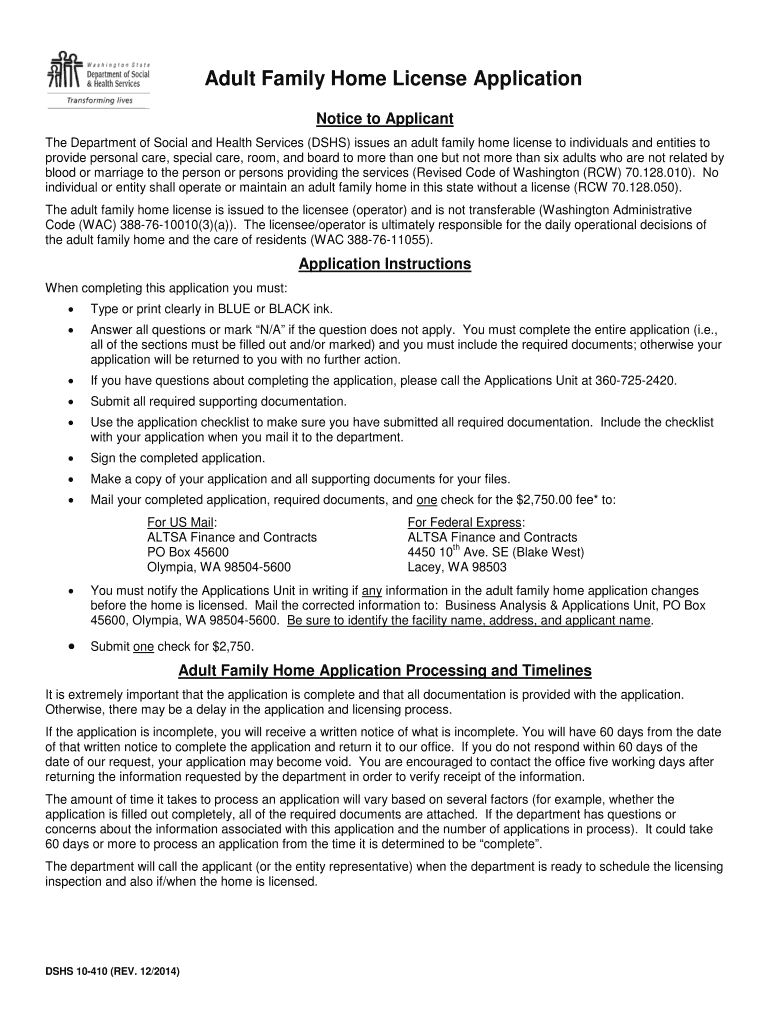
special care, room, and board to more than one but not more than six adults who are not related by blood or marriage to the person or persons providing the services (Revised Code of Washington (RCW) 70.128.010). No individual or entity shall operate or maintain an adult family home in this state without a license (RCW 70.128.050). The adult family home license is issued to the licensee (operator) and is not transferable (Washington Administrative Code (WAC) 388-76-10010(3)(a)). The licensee/ope.
Loading

Open form follow the instructions

Easily sign the form with your finger

Send filled & signed form or save
How to fill out the WA DSHS 10-410 online
Filling out the WA DSHS 10-410 form for an adult family home license can seem daunting, but with this guide, you will navigate each section with confidence. This guide offers clear, step-by-step instructions to ensure your application is complete and accurate.
Follow the steps to successfully complete your application.
- Click ‘Get Form’ button to access the WA DSHS 10-410 form and open it in your editor.
- Begin by filling out the information about the proposed adult family home, including the name, street address, mailing address, telephone number, and other contact details.
- Provide property owner information. Indicate whether the applicant or entity representative owns the home, and if applicable, fill in the owner's name and address.
- Fill out the Unified Business Identifier (UBI) Number and Federal Employer Identification Number (EIN) sections as required.
- For applicants applying as an entity, complete the Entity section with the legal name and address.
- Complete the Individuals Affiliated with Applicant section if applying as an entity. List all persons associated with ownership and their roles.
- Provide information about the individual applicant or entity representative including their name, date of birth, and contact information.
- Indicate whether the applicant has a spouse or State Registered Domestic Partner and if they will be listed on the license. Provide their information if applicable.
- Complete the Resident Manager Information section by listing the name and relevant details of the individual designated as the resident manager.
- Mark documentation provided to verify minimum qualifications for each individual noted in the previous sections.
- If planning to care for residents with specific needs like dementia or developmental disabilities, check the respective box and attach the relevant specialty training certificates.
- Complete the Previous Licensing or Contracting Experience section to document any prior experience or issues.
- Fill out the Background Information section thoroughly and attach a completed Background Authorization form for required individuals.
- Complete the Financial Assessment Information section and answer questions truthfully.
- Sign the certification section, confirming the accuracy of the provided information, and include any necessary signatures from partners or co-applicants.
- Once all sections are complete, save changes, and take the opportunity to download, print, or share the form as needed.
Start your application process today by filling out the WA DSHS 10-410 form online!
Experience a faster way to fill out and sign forms on the web. Access the most extensive library of templates available.
Related content
You can obtain the Adult Family Home License Application (DSHS 10-410) online. When you...
by KA Casey · 2015 · Cited by 1 — Behavioral emergencies: An evidence-based resource...
Get answers to your most pressing questions about US Legal Forms API.
How to apply for DSHS benefits in Washington?
Applying for DSHS benefits in Washington is straightforward. You can start your application online at the WA DSHS 10-410 website, where you’ll find all forms and instructions. Make sure to gather required documentation and carefully fill out your application to expedite the review process, ensuring you provide all necessary information.
How to apply for AFH in Washington State?
To apply for Adult Family Homes (AFH) in Washington State, you can contact your local DSHS office or visit the WA DSHS 10-410 website for further guidance. They provide important information regarding eligibility, application forms, and the necessary steps to ensure you receive the support you need. Consider reviewing all requirements before submitting your application.
How do I submit documents to healthcare gov?
To submit documents to Healthcare, log in to your account and follow the prompts to upload necessary files. It is important to ensure all documents submitted are clear and accurately represent your situation. For any issues, refer to the help section on Healthcare for additional resources and support.
How to submit documents to DSHS Washington state?
You can submit documents to DSHS Washington State through various methods. Most users find it convenient to upload documents via the online application or send them via fax. If you prefer, you can also deliver documents in person, or mail them with the appropriate case number clearly marked.
How do I submit documents to DSHS Washington State?
To submit documents to DSHS in Washington State, you can use the online portal or fax them to your local office. Additionally, you may visit a local DSHS office to deliver documents in person. When mailing documents, always ensure you send copies, not originals, and include your case number for reference.
What is the phone number for DSHS food stamps in Washington State?
If you need to inquire about DSHS food stamps in Washington State, you can call the customer service line at 1-877-501-2233. This number can assist you with questions regarding your benefits, assistance, and other resources related to WA DSHS 10-410.
How do I renew my SNAP benefits in Washington state?
To renew your SNAP benefits in Washington state, you need to complete a renewal application with WA DSHS 10-410. You can do this online via the DSHS website or by visiting a local office. Make sure to provide all required information and submit any necessary documentation to ensure a smooth renewal process.
How do I file a consumer complaint in Washington state?
To file a consumer complaint in Washington state, you should contact the Washington State Attorney General's office or visit their website to fill out a complaint form. Make sure to provide accurate details about your experience, which enhances their ability to assist you. When it pertains to DSHS, mentioning WA DSHS 10-410 in your complaint will help them address your issue more effectively.
How to file a complaint with DSHS Washington state?
To file a complaint with DSHS Washington State, visit their website to find the specific complaint form. Be detailed about your concern and include any relevant documentation. After submission, you can track your complaint's status through the DSHS portal. For more help, refer to WA DSHS 10-410 guidelines.
How do I file a complaint with the Department of State?
Filing a complaint with the Department of State typically involves completing a form on their official website or calling their office for assistance. Provide as much detail as possible to help them investigate your issue thoroughly. If your complaint is about DSHS services, referencing WA DSHS 10-410 can help direct your complaint appropriately. Ensure you keep a copy of your complaint for future reference.
Use professional pre-built templates to fill in and sign documents online faster. Get access to thousands of forms.
If you believe that this page should be taken down, please follow our DMCA take down process here.
This form is available in several versions. Select the version you need from the drop-down list below.