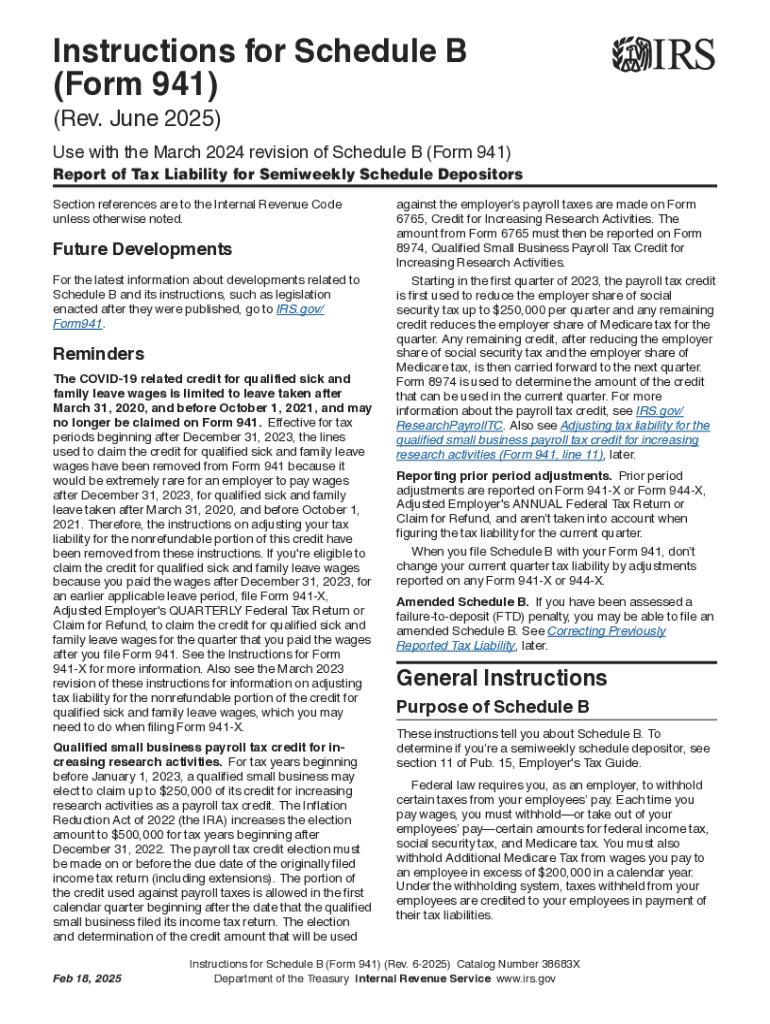
E Internal Revenue Code unless otherwise noted. Future Developments For the latest information about developments related to Schedule B and its instructions, such as legislation enacted after they were published, go to IRS.gov/ Form941. Reminders The COVID-19 related credit for qualified sick and family leave wages is limited to leave taken after March 31, 2020, and before October 1, 2021, and may no longer be claimed on Form 941. Effective for tax periods beginning after December 31, 2023, th.
Loading

Open form follow the instructions

Easily sign the form with your finger

Send filled & signed form or save
How to fill out and sign IRS Instructions 941 - Schedule B online?
Get your online template and fill it in using progressive features. Enjoy smart fillable fields and interactivity.Follow the simple instructions below:
Finding a legal professional, making a scheduled appointment and coming to the business office for a private meeting makes doing a IRS Instructions 941 - Schedule B from start to finish stressful. US Legal Forms allows you to quickly produce legally-compliant documents according to pre-created browser-based templates.
Perform your docs within a few minutes using our easy step-by-step guide:
- Find the IRS Instructions 941 - Schedule B you want.
- Open it using the cloud-based editor and start altering.
- Fill out the blank areas; involved parties names, places of residence and numbers etc.
- Customize the template with exclusive fillable areas.
- Include the particular date and place your electronic signature.
- Click on Done after double-examining all the data.
- Save the ready-created papers to your system or print it out as a hard copy.
Easily create a IRS Instructions 941 - Schedule B without needing to involve specialists. There are already more than 3 million people making the most of our rich library of legal documents. Join us right now and gain access to the #1 collection of web samples. Test it yourself!
Tips on how to fill out, edit and sign IRS Instructions 941 - Schedule B online
How to fill and sign IRS Instructions 941 - Schedule B
Get your online template and fill it in using progressive features. Enjoy smart fillable fields and interactivity.Follow the simple instructions below:
Finding a legal professional, making a scheduled appointment and coming to the business office for a private meeting makes doing a IRS Instructions 941 - Schedule B from start to finish stressful. US Legal Forms allows you to quickly produce legally-compliant documents according to pre-created browser-based templates.
Perform your docs within a few minutes using our easy step-by-step guide:
- Find the IRS Instructions 941 - Schedule B you want.
- Open it using the cloud-based editor and start altering.
- Fill out the blank areas; involved parties names, places of residence and numbers etc.
- Customize the template with exclusive fillable areas.
- Include the particular date and place your electronic signature.
- Click on Done after double-examining all the data.
- Save the ready-created papers to your system or print it out as a hard copy.
Easily create a IRS Instructions 941 - Schedule B without needing to involve specialists. There are already more than 3 million people making the most of our rich library of legal documents. Join us right now and gain access to the #1 collection of web samples. Test it yourself!
How to edit IRS Instructions 941 - Schedule B
Choose a rock-solid document editing option you can rely on. Edit, complete, and certify IRS Instructions 941 - Schedule B securely online.
Too often, working with forms, like IRS Instructions 941 - Schedule B, can be a challenge, especially if you received them online or via email but don’t have access to specialized tools. Of course, you can use some workarounds to get around it, but you risk getting a document that won't fulfill the submission requirements. Using a printer and scanner isn’t an option either because it's time- and resource-consuming.
We offer a simpler and more streamlined way of modifying forms. An extensive catalog of document templates that are straightforward to customize and certify, and make fillable for other individuals. Our platform extends way beyond a collection of templates. One of the best aspects of utilizing our services is that you can revise IRS Instructions 941 - Schedule B directly on our website.
Since it's an online-based platform, it saves you from having to get any computer software. Additionally, not all corporate rules allow you to install it on your corporate laptop. Here's how you can easily and securely complete your forms with our solution.
- Click the Get Form > you’ll be immediately redirected to our editor.
- As soon as opened, you can start the customization process.
- Select checkmark or circle, line, arrow and cross and other options to annotate your form.
- Pick the date field to add a specific date to your document.
- Add text boxes, photos and notes and more to complement the content.
- Utilize the fillable fields option on the right to add fillable {fields.
- Select Sign from the top toolbar to create and add your legally-binding signature.
- Click DONE and save, print, and share or get the output.
Say goodbye to paper and other inefficient ways of completing your IRS Instructions 941 - Schedule B or other forms. Use our tool instead that combines one of the richest libraries of ready-to-edit forms and a powerful document editing services. It's easy and secure, and can save you lots of time! Don’t take our word for it, try it out yourself!
How to fill and sign IRS Instructions 941 - Schedule B
Get your online template and fill it in using progressive features. Enjoy smart fillable fields and interactivity.Follow the simple instructions below:
Finding a legal professional, making a scheduled appointment and coming to the business office for a private meeting makes doing a IRS Instructions 941 - Schedule B from start to finish stressful. US Legal Forms allows you to quickly produce legally-compliant documents according to pre-created browser-based templates.
Perform your docs within a few minutes using our easy step-by-step guide:
- Find the IRS Instructions 941 - Schedule B you want.
- Open it using the cloud-based editor and start altering.
- Fill out the blank areas; involved parties names, places of residence and numbers etc.
- Customize the template with exclusive fillable areas.
- Include the particular date and place your electronic signature.
- Click on Done after double-examining all the data.
- Save the ready-created papers to your system or print it out as a hard copy.
Easily create a IRS Instructions 941 - Schedule B without needing to involve specialists. There are already more than 3 million people making the most of our rich library of legal documents. Join us right now and gain access to the #1 collection of web samples. Test it yourself!
Experience a faster way to fill out and sign forms on the web. Access the most extensive library of templates available.
Related content
The IRS uses Schedule B to determine if you've deposited your federal employment tax...
Jul 8, 2011 — The IRS uses Schedule B (Form 941) to determine if made. you have...
May 2, 2017 — Be sure that the payer's name and EIN on Forms W-2 and. W-3 are the same...
Use professional pre-built templates to fill in and sign documents online faster. Get access to thousands of forms.
If you believe that this page should be taken down, please follow our DMCA take down process here.