Loading
Get Ie Tgd 006 2004-2026
How it works
-

Open form follow the instructions
-

Easily sign the form with your finger
-

Send filled & signed form or save
How to fill out the IE TGD 006 online
The IE TGD 006 form is an essential document for schools undertaking energy assessments for new projects, extensions, or refurbishments. This guide will walk you through the process of completing this form online, ensuring you provide accurate and comprehensive information.
Follow the steps to successfully complete the IE TGD 006 online.
- Select the ‘Get Form’ button to access the IE TGD 006 form and open it in your preferred editing platform.
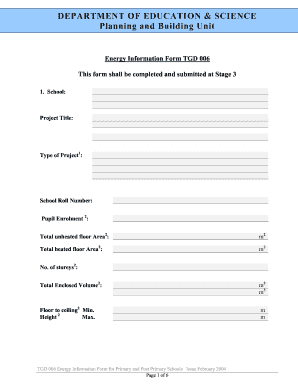
- In the first section, enter the school name, project title, type of project, school roll number, pupil enrolment, total unheated floor area, and total heated floor area in square meters.
- Next, specify the number of storeys and the total enclosed volume in cubic meters. Also, provide the minimum and maximum floor-to-ceiling heights.
- Proceed to the elements section, where you will need to provide the area in square meters and the design U value in watts per square meter per degree Celsius for each specified surface, such as the ground floor, external walls, and roof surfaces.
- Calculate the heat losses by multiplying the area (from the previous step) by the design U value, and summarize this information in the designated fields.
- In the daylighting design section, record the minimum, maximum, and average daylight factors as percentages.
- For the ventilation design, detail the natural ventilation rate in liters per pupil and the design ventilation rate for mechanical ventilation if applicable.
- Under hot water services, provide details such as the number of outlets, method of heating, total storage in liters, generation rate per hour, and estimated load.
- Document details under cold water services, including the number of storage tanks, areas served, and capacity of each tank.
- In the heating services section, detail the type and number of boilers, design heat losses, boiler loads and capacity, fuel type, and heating details for the physical education hall.
- Next, outline the lighting services by specifying design lighting levels for different rooms and total connected load including various types of lighting.
- Fill in the power section by recording the number of general service outlets, design general service load, and total connected plant load, listing the main items as needed.
- Review all the entered data for accuracy. After confirming the completion of the form, you can choose to save changes, download, print, or share the document.
Complete the IE TGD 006 online today to ensure compliance with energy assessment requirements for your school project.