Loading
Get Canada Omers 168 2011-2026
How it works
-

Open form follow the instructions
-

Easily sign the form with your finger
-

Send filled & signed form or save
How to fill out the Canada OMERS 168 online
This guide provides a step-by-step approach to accurately complete the Canada OMERS 168 form online. It aims to demystify the process for all users, ensuring a smooth submission.
Follow the steps to complete the Canada OMERS 168 form online.
- Click ‘Get Form’ button to access the Canada OMERS 168 form and open it in your preferred online editor.
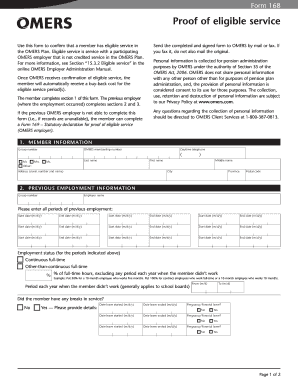
- Begin with Section 1, which requires personal information. Enter your group number, OMERS membership number, name (including first, middle, and last), and contact information such as your telephone number and address.
- Proceed to Section 2, which focuses on previous employment information. Fill in the group number, employer name, and all periods of previous employment, including start and end dates. Indicate your employment status during these periods and detail any breaks in service.
- In Section 3, answer whether you were a member of a registered pension plan during the service period stated in Section 2. If applicable, provide the plan's name, registration number, and enrollment date.
- Complete Section 4 by providing the employer's authorization details. Include the contact's name, phone number, and fax number. Ensure the authorized signing officer signs the form and dates it appropriately.
- Review all entries for accuracy before submitting. Save changes to your document, and then choose to download, print, or share the completed form as necessary.
Complete your Canada OMERS 168 form online to ensure a successful submission.
In most cases, you can transfer your pension plan to an RRSP, but it's essential to understand the specific rules related to your plan. Generally, you need to contact your pension plan administrator for detailed procedures and options available to you. Platforms like US Legal Forms can provide valuable resources to help navigate this process smoothly and efficiently.